Waves Vocal Rider
User Guide
3
Chapter 1 – Introduction
1.1 Welcome
Thank you for choosing Waves! In order to get the most out of your new Waves plugin,
please take a moment to read this user guide.
To install software and manage your licenses, you need to have a free Waves account.
Sign up at www.waves.com. With a Waves account you can keep track of your
products, renew your Waves Update Plan, participate in bonus programs, and keep up
to date with important information.
We suggest that you become familiar with the Waves Support pages: www.waves.com/
support. There are technical articles about installation, troubleshooting, specifications,
and more. Plus, you’ll find company contact information and Waves Support news.
1.2 Product Overview
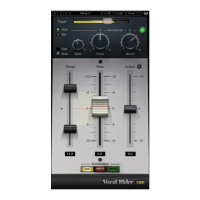
Vocal Rider is the first of Waves pioneering new series of Mix tools. As its name implies,
it automatically rides vocal track levels. Instead of manually riding a mixing console
fader, or tediously drawing in every level change on a DAW track, Vocal Rider does it
for you, making it a true timesaver. All you need to do is set the target range of the vocal
level in relation to the rest of the mix. Then, Vocal Rider adjusts the level so it stays
within your target, raising or lowering the vocal volume, in real-time. And unlike
compression, Vocal Rider doesn’t add any additional coloring to your track. From the
recording studio to the concert stage, from the broadcast studio to the post house, Vocal
Rider takes mixing to the next level.
Keep consistent vocal & dialog levels automatically.
Steady vocal levels without affecting their sound.
Achieve an open-sounding mix by avoiding over-compression.
Real-Time means zero latency and no pre-scan needed.
Intelligently adjusts vocal level based on dynamics of the music tracks.
Write the automatic riding to an automation track for fine tuning.


 To Next Page