Waves Vocal Rider
User Guide
4
1.3 Concepts and Terminology
The vocal production process can be divided into several stages: recording, comping,
mix positioning, sound character adjustment (Dynamics/EQ/Effects), and gain riding.
Vocal gain riding is the final stage, during which the vocal level is fine-tuned by making
small changes to its playback level, to make its position in the mix consistent throughout
the song.
Vocal Rider splits the elements of the mix into two main components: vocals and
playback.
• Vocal: All vocal tracks, with or without effects (as defined by the user)
• Music: The rest of the mix, minus the vocal tracks
1.4 Components
WaveShell technology enables us to split Waves processors into smaller plug-ins, which
we call components. Having a choice of components for a particular processor gives
you the flexibility to choose the configuration best suited to your material.
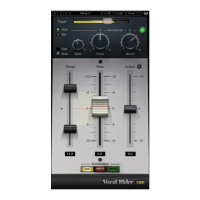
Waves Vocal Rider includes four components:
• Vocal Rider Mono
• Vocal Rider Stereo
• Vocal Rider Live Mono
• Vocal Rider Live Stereo
1.5 WaveSystem Toolbar
Use the bar at the top of the plugin to save and load presets, compare settings, undo
and redo steps, and resize the plugin. To learn more, click the icon at the upper-right
corner of the window and open the WaveSystem Guide.


 To Next Page