NRF52840 Eval Kit User Manual
Vision: V1.0.1 Date: 2019.01.19 15 / 72
CHAPTER 3. CREATING NEW PROJECT
SDK should be used for NRF52840 developing, we take common SDK
as example
to show you how to create a project.
The SDK used herein is SDK V15.2, there is also template for reference:
nRF5_SDK_15.2.0_9412b96\examples\ble_peripheral\ble_app_template\pca10056\s140
\arm5_no_packs\ble_app_template_pca10056_s140.uvprojx
PROJECT TEMPLATE
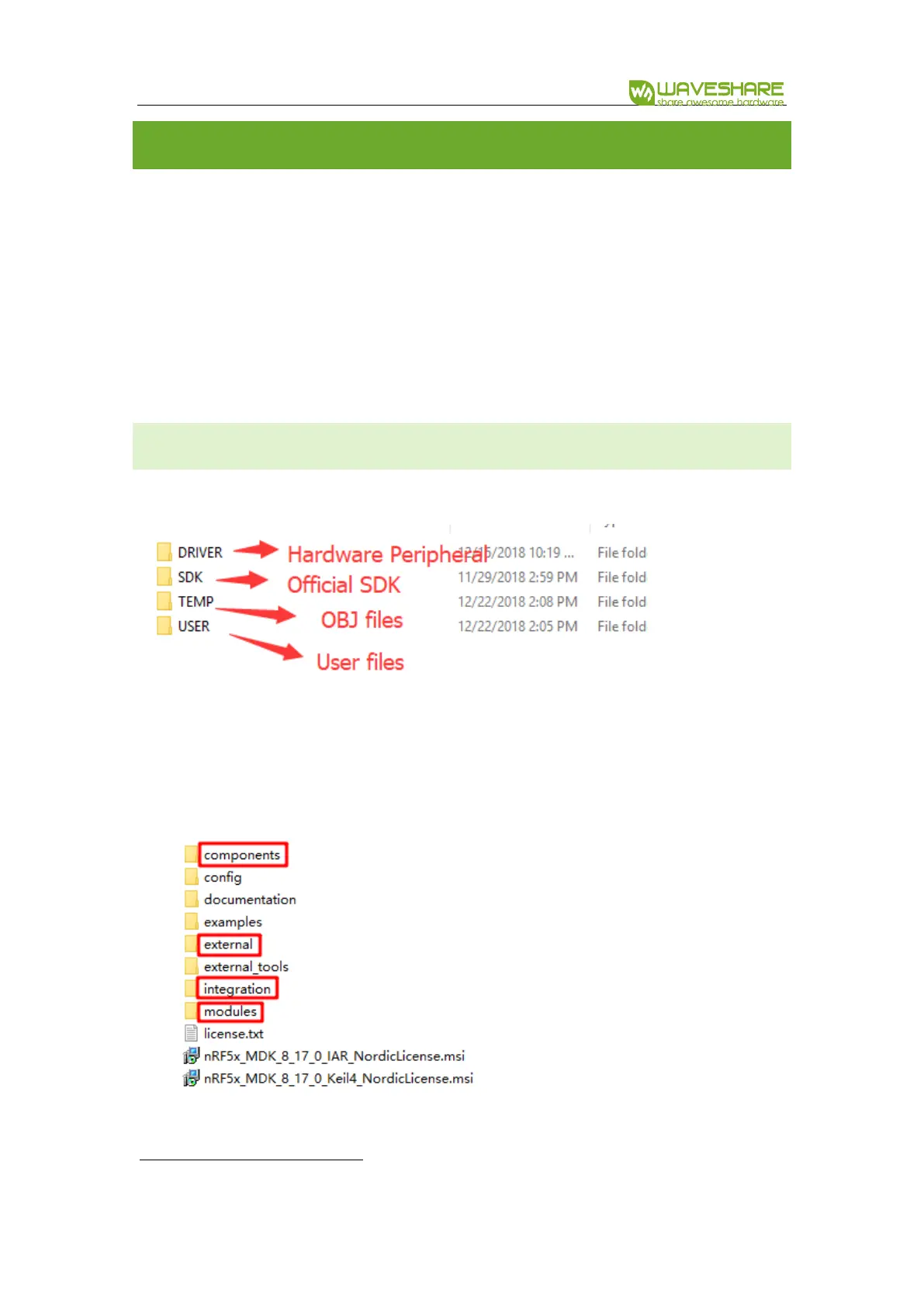
Generally, the project should include:
⚫ DRIVER: Drivers of hardware peripherals are saved in this directory, like driver of
MPU6050 created by users
⚫ SDK: SDK files copied from official SDK, like:


 To Next Page