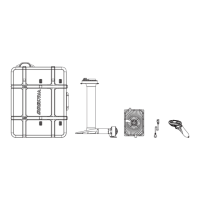
Waydoo Flyer EVO USER GUIDES
© 2024 All rights reserved by Waydoo
1. Press and hold the power button and the '-' button on the remote for 2
seconds to enter the Bluetooth connection management interface.
2. In this interface, press the "+" and "-" buttons on the remote to select the
target board, and then press the remote trigger to confirm.
3. The Powerflight battery will pop up a confirmation prompt. Tap its power
button with the magnet to confirm.
4. If the connection is successful, the Bluetooth icon on the remote status
bar will light up and the remote indicator light will show green.
Tips: When the remote is already connected, the steps to pair a new remote
are as follows:
1. First, turn off the currently connected remote.
2. Then follow the pairing steps for the board and the new remote to ensure
that they are successfully connected.
4.2 How to use
After assembling the Waydoo Flyer EVO and preparing to use in the water,
please follow the following suggestions and steps to help you stay safe
during the use of the Waydoo Flyer EVO. Remember to make the necessary
preparations in advance and ensure the safety of the surrounding
environment to make the experience more enjoyable and safe.
Preparation and precautions:
1. Wear safety equipment: It is always recommended to wear a diving wet
suit, diving shoes, diving gloves, life jacket and safety helmet during the use
of the product to ensure safety.
2. Test the propeller: During the test phase before entering the water, the
propeller will rotate at the lowest speed to ensure safety and protect the
motor. Avoid your hands or any part of your body near the propeller during
the rotation of the propeller.
3. Carry the board: Before carrying, please make sure that the remote is
turned off or the trigger is locked. During the transportation, avoid touching
the propeller with your hands and avoid bumping the wings, propeller and
other parts.
4. Choose a suitable riding location: Choose a location with sufficient water
depth, about 1.5 meters, without surface or underwater obstacles, away


 To Next Page