59
VI.
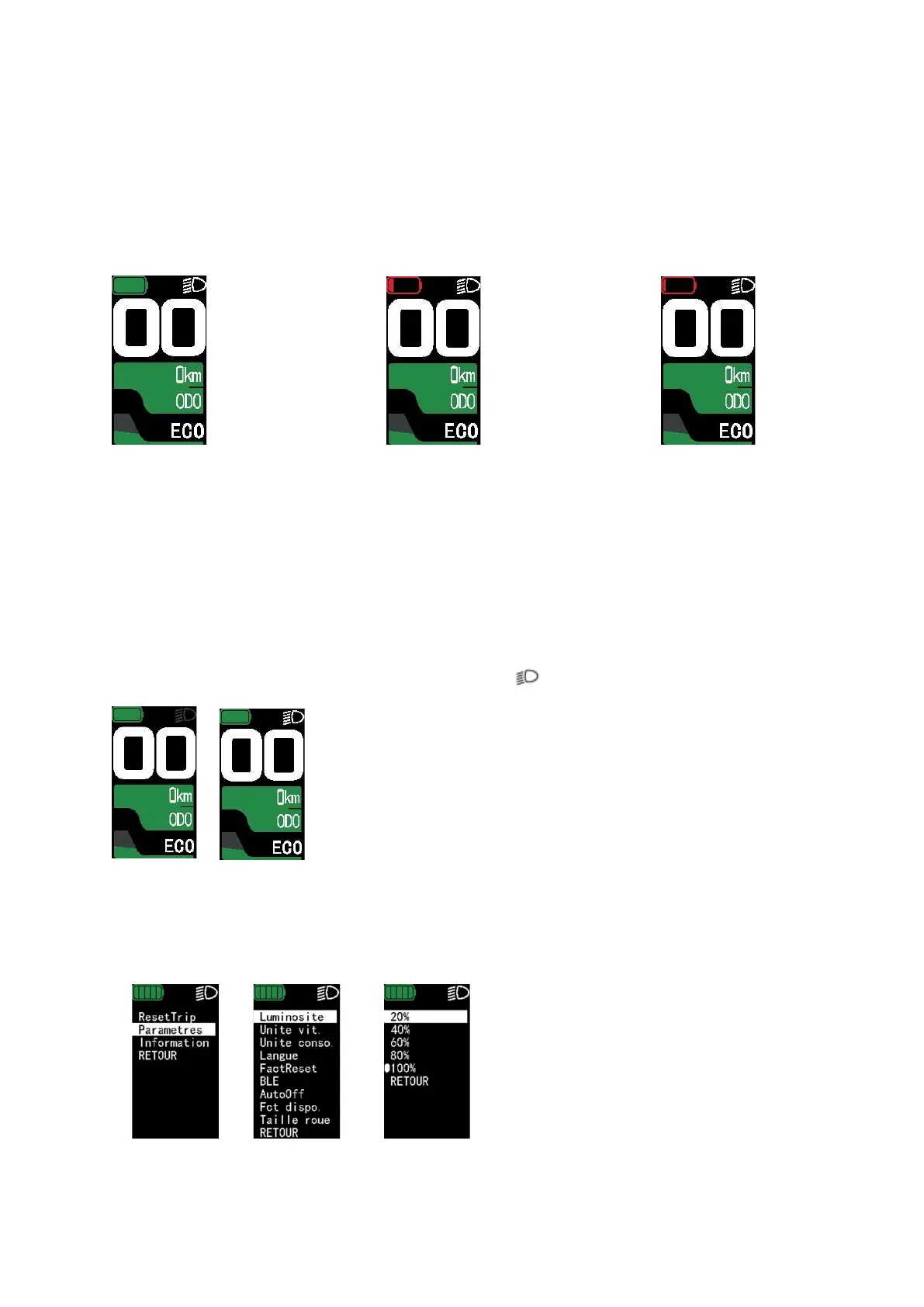
BATTERY CHARGE LEVEL
When the battery is fully charged, the charge indicator is green and fully charged. When the
battery's charge level is low, the charge indicator is red and flashes.
When the battery is at a low charge level, your motor reduces its assistance. This saves the
remaining charge in your battery.
Charge level 100% Charge level less than 20% Charge level less than 10%
(green) (red) (flashing red)
Rely on the battery charge level indicated on the display when using your bike.
VII.
USE OF LIGHTING (IF YOUR BIKE IS FITTED WITH LIGHTING CONNECTED TO YOUR BATTERY)
To activate/deactivate the lighting function, press the “ “ button for 2 seconds.
Your display is also backlit. The screen brightness can be adjusted by holding down the ''i ''
button for 2 seconds.
From the menu, select Settings then Brightness and select the % you want:



 To Next Page