WAZER Specifications
Size and Weight
WAZER Main Unit Size 34” x 25.5”” x 22” (856mm x 648mm x 551mm)
WAZER Main Unit Size 34” x 25.5”” x 48” (856mm x 648mm x 1220mm)
with Stand Leg Accessory
WAZER Main Unit Empty Weight 110 lbs. (50 kg)
WAZER Main Unit Loaded Weight 400 lbs. (180 kg)
Pump Box Size 21” x 15” x 11” (533 mm x 355 mm x 280 mm)
Pump Box Weight 92 lbs. (42 kg.)
Cutting
Cutting Area 12” x 18” (305 mm x 460 mm)
Cut Bed Size 13” x 19” (330 mm x 485 mm)
Kerf (width of cut) .044 (1.2 mm)
Water
Water Source Tap Water
Water Draining Standard Water Drainage
Input Water Filter ~300 mesh
Water Recirculation Not Recommended
Abrasive
Abrasive Flow Rate 0.33lbs/min (150g/min)
Abrasive Capacity 30 lbs. (13.5 kg.)
Abrasive Type Garnet 80 mesh
Gantry
Maximum Linear Speed 75 IPM (1905 mm/min)
Gantry Positional Precision 0.003” (0.08 mm)
Power
Main Unit V1.5 (110 VAC and 220 VAC) 110-240 VAC, 50/60Hz, 2.0A,
Pump Box V1.5A 110-120 VAC; 60Hz; 15A; 1700 W
Pump Box V1.5B 220-240 VAC; 50Hz; 10A; 2200 W
Wam Software
Browser Compatibility Chrome, Internet Explorer, Safari, Firefox
Miscellaneous
Compatible File Types .dxf, .svg
Connectivity SD Card
Noise Emission 74+/- 3dB
Noise Pressure Level 87+/-3dB
Storage Condition 0°C - 40°C / 32°F-104°F for prolonged storage
0°C - 70°C / 32°F-160°F for 24 hours
Maximum Working Pressure & Flow Rate 4600psi (32MPa) at 0.5 gal/min (1.9L/min)
21
Machine System Schematics
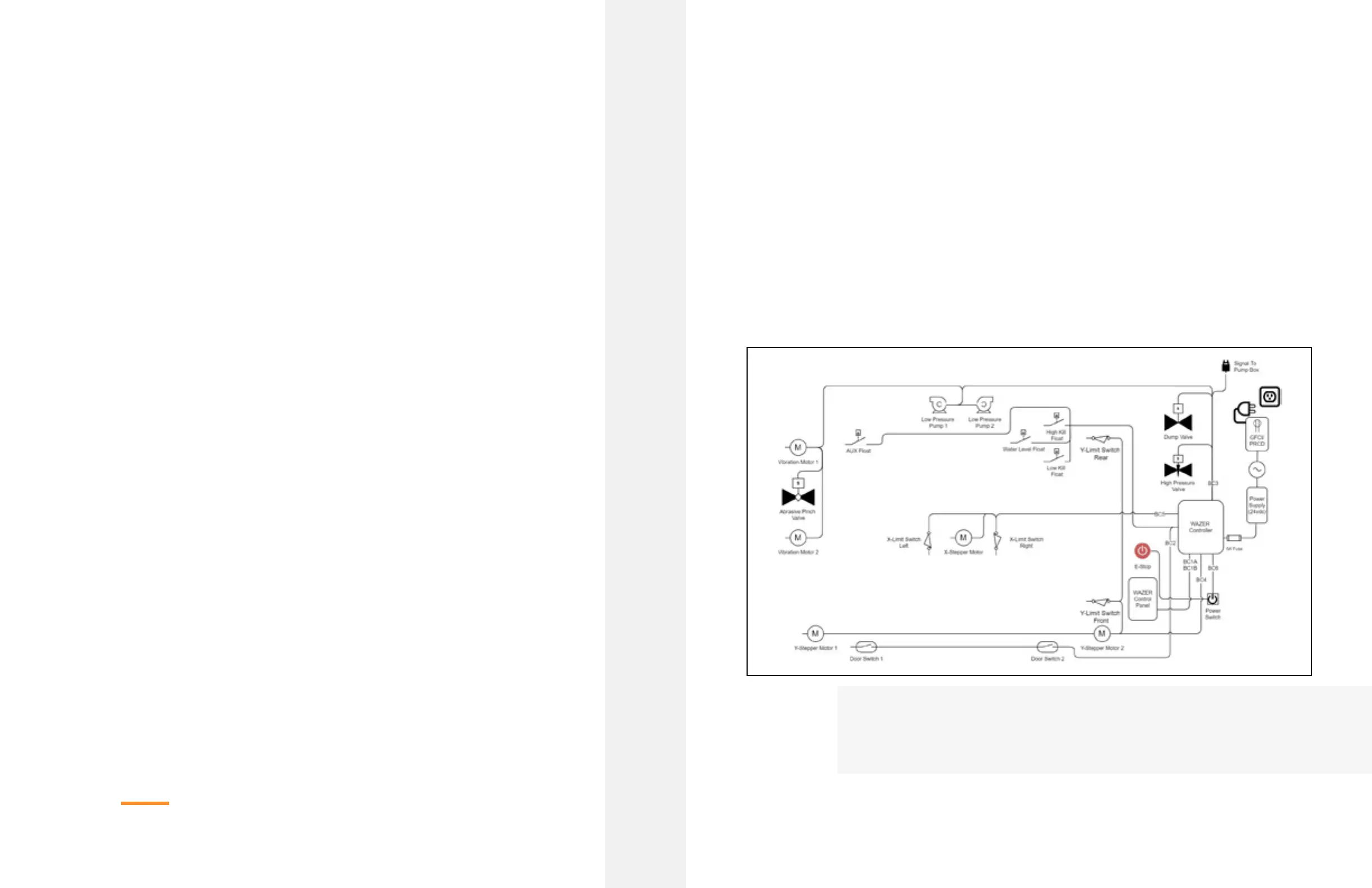
Main Unit Control System Diagram
The above illustration shows the high level system schematic of the WAZER Main Unit’s electro-
mechanical components and controls system.
Your WAZER system contains 100s of components that interface with one another. Even though it is
unnecessary for you to be familiar with all of them, it is a good idea to familiarize yourself with a system level
view of your machine. In order to do so we have created a few system level schematics and diagrams. Review
these, but don’t worry about memorizing and understanding them fully at this stage. After you work through
your first set of cuts we highly recommend coming back to these diagrams to connect the dots between the
components and systems behind the work flow you experience with every cut. Lastly, if you are trying to
troubleshoot an issue, the system level breakdowns here could help in pinpointing what could be the issue.
The WAZER |
SECTION 3
20



 To Next Page