GET TO KNOW YOUR PRINTMAKER™
COMPATIBLE DEVICES
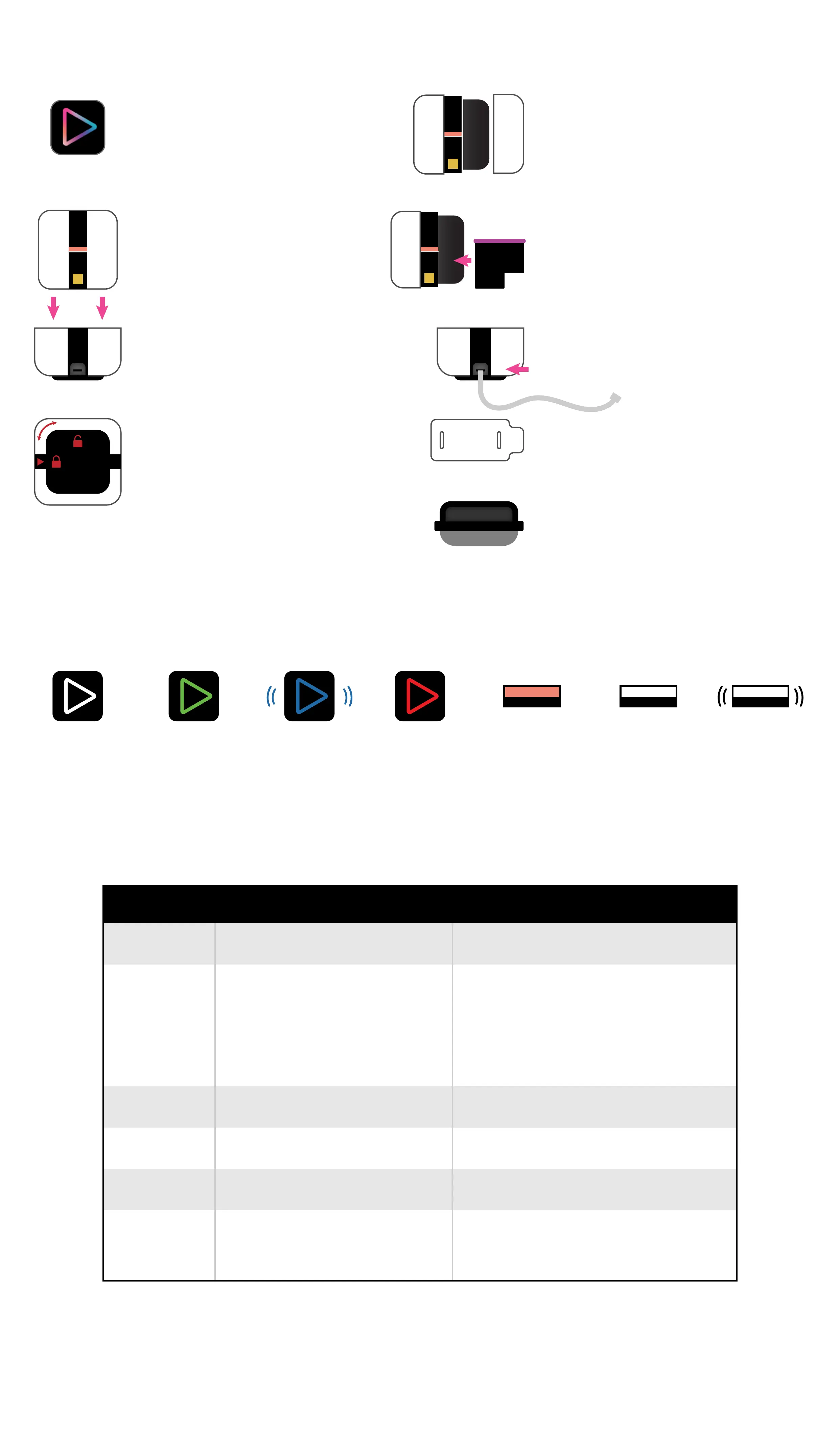
ACTION BUTTON
This button turns your Printer on and
o. Pressing this button also initiates
a print job. It will light up to
communicate its status.
PRINTER
This is where all the magic happens!
Your Printer smoothly glides to the
right to print your designs.
LOCKING & UNLOCKING
Store your PrintMaker™ in the locked
position when not in use. This preserves
the Printhead and allows the unit to
recharge. Leaving the PrintMaker™ on
paper or an uneven surface for an
extended period of time may cause ink
color mixing or other defects. Simply twist
to lock or unlock.
HOME BASE
This is the base the printer sits in for
storage and for charging the battery.
WIPES
Absorbent wipes fit onto the wiper handle
for blotting and cleaning the Printhead.
WIPER HANDLE
Attach your Wipe around the absorbent
foam for blotting and cleaning the Printhead.
USB PORT & CHARGING CORD
This is where you’ll plug the micro-USB
Charging Cord into the home base.
INK COVER
This cover protects the Print Cartridge
housing and restart button. Sensors tell
the Printer when the cover is removed or
in place.
PRINT CARTRIDGE
LIGHT GUIDE
The PrintMaker™ lights indicate when things are going right or wrong.
Here are common light indicators and their meanings
WHITE LIGHT
POWERED ON
GREEN LIGHT
READY TO
PRINT
AMBER LIGHT
BATTERY
CHARGING
WHITE LIGHT
BATTERY
FULLY
CHARGED
FLASHING WHITE
& YELLOW LIGHT
BATTERY
CHARGING
ISSUE
FLASHING
BLUE LIGHT
PRINTER IS
CONNECTING
TO DEVICE
RED LIGHT
POWERING
OFF OR INK/
INK COVER
MISSING
The Print Cartridge houses the Printhead and
the tri-color ink. The Printhead is where the ink
is distributed when printing. This should be
face down when installed into the Printer.
A “General Compatibility” device is likely to work, perhaps even completely, but may experience some issues or incorrect behavior.
A “Full Compatibility” device should support all functionality for as long as the device continues receiving the latest major releases
of operating systems from Apple or Google. Future versions or updates of PrintMaker™ may contain features which only work in the
latest version of an operating system. In general, users should be using the latest version of the operating system that has been
released for at least 2 months.
FULL COMPATIBILITYDEVICE GENERAL COMPATIBILITY
iPod Touch
iOS 14.0+
7th Generation (2019)
iOS 12.0+
6th Generation (2015)
iPad
iPad iOS 14.0+
7th Generation (2019)
iPad i0S 12.0+
iPhone
iOS 14.0+
7
8
X
11
12
SE 2nd Edition
iOS 12.0+
5S
6
6S
SE 1st Edition
Android Phone
Android 10+ Android 10+
Android Tablet
Not Available Not Available
Online
Not Available
Available. Design everything you need on
the web, save your design, and print from
your mobile device.
FULL VS GENERAL COMPATIBILITY



 To Next Page
 Loading...