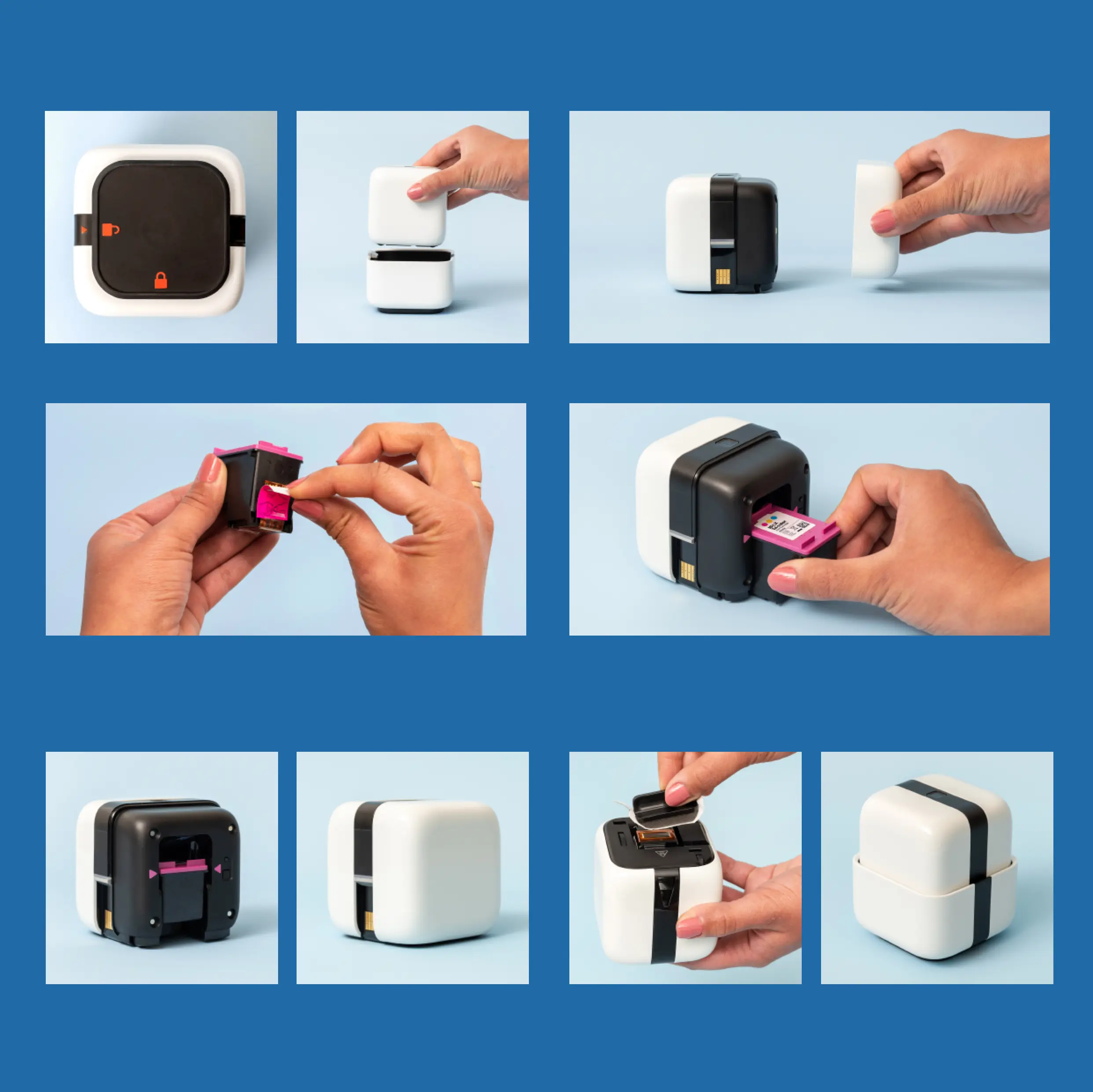
INSTALL INK
12 Unlock Home Base, and remove printer. 3 Remove Ink Cover from printer.
4 Remove protective film from the
Printhead before installing.
5 Align purple cover on the Print Cartridge
with the purple arrows on the printer. Your
Printhead will be facing the bottom.
67 Slide Print Cartridge in and click into
place. Replace Ink Cover on the printer.
89 Wipe Printhead with Wipe & Wiper
Handle. Return printer to Home Base.



 To Next Page