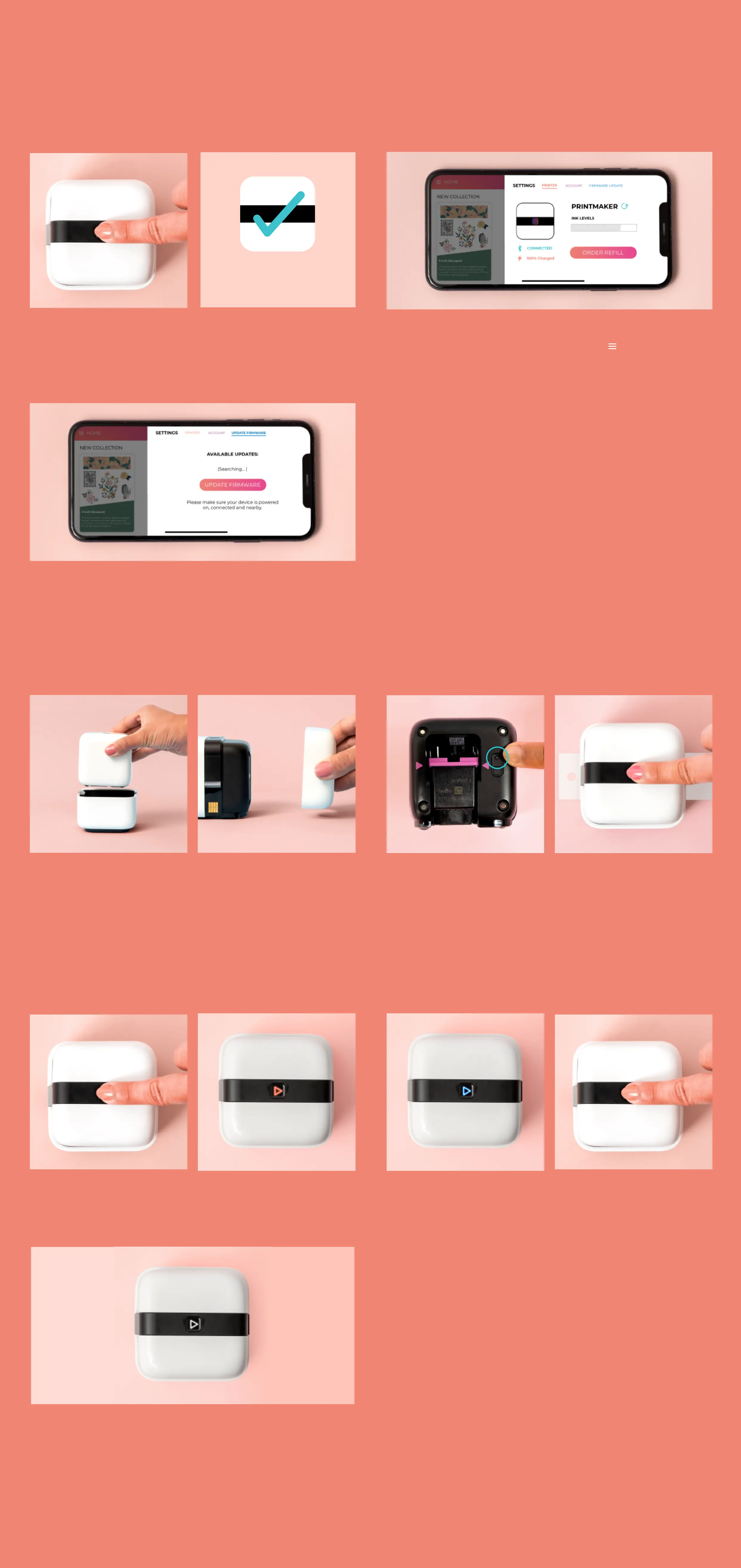
3-4 Press the cirlce button near the purple
arrow. Replace the ink cover and power on
using the Action Button.
12 Make sure your mobile device is
connected to the Internet. Power on the
printer and connect to the app.
3 Manually update by opening the
PrintMaker™ App, tapping on menu >
settings > update firmware.
1 Hold down on the Action Button for thirty
seconds, or until it turns red.
4 The Action Button will shine white, and
you’re ready to go.
1-2 Remove from home base and remove
ink cover from printer.
3-4 Press the cirlce button near the purple
arrow. Replace the ink cover and power on
using the Action Button.
2-3 Release, the light will briefly turn from
red to blue. Within five seconds, press and
release the Action Button again.
45 Select the update from the list, if
available. Follow the on-screen prompts
to complete the update.
TROUBLESHOOTING
FIRMWARE UPDATES
FACTORY RESET
WARRANTY
Find product warranty information on the PrintMaker™ app by tapping the ? icon at the
top of the screen or by visiting wermemorykeepers.com/printmaker.
Updating your firmware can improve connectivity and fix unexpected issues.
To update the printer firmware, your printer must be charged to 50% or higher.
To reset the printer to factory settings:
CONNECTED
RESTARTING YOUR DEVICE



 To Next Page