YOUR FIRST PRINT
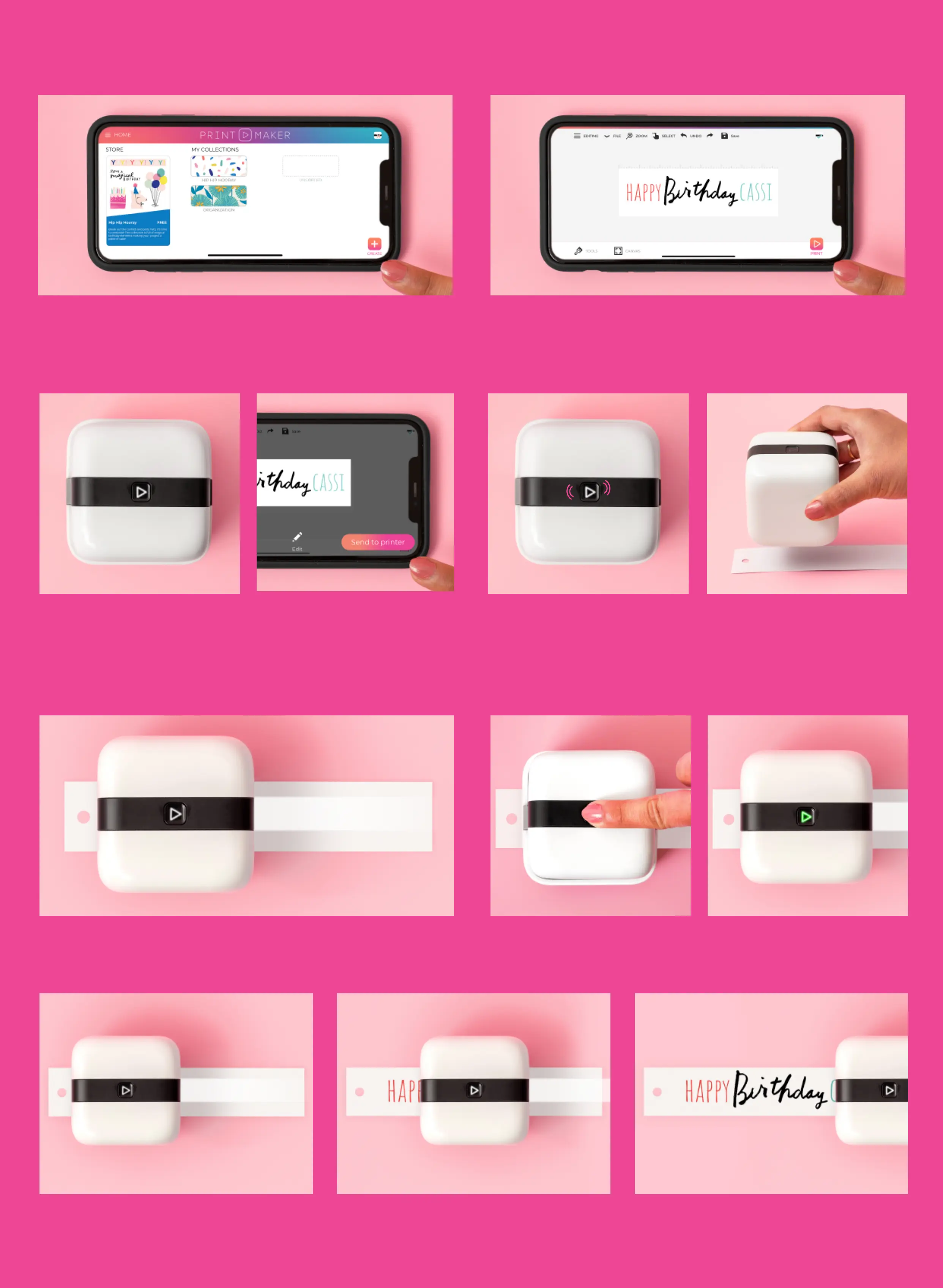
10 Glide your device along your printing surface to print your design. Your machine will
chirp at the beginning and end of your print.
7 The PrintMaker™ alignment light will
shine, indicating where your print will start.
89 Press the Action Button. The PrintMaker™
will chirp and shine a green light.
34 Make sure the PrintMaker™ is turned on
and ready to go (Action Button shining
white). Tap SEND TO PRINTER.
56 When the PrintMaker™ receives your
print it will chirp and flash the Action Button.
Remove the PrintMaker™ from Home Base
and place on your printing surface.
1 In the app, tap the CREATE icon in the
bottom right corner to create a design.
2 Once your design is ready tap the PRINT
icon in the bottom right corner. This will
open the print preview menu.



 To Next Page