12
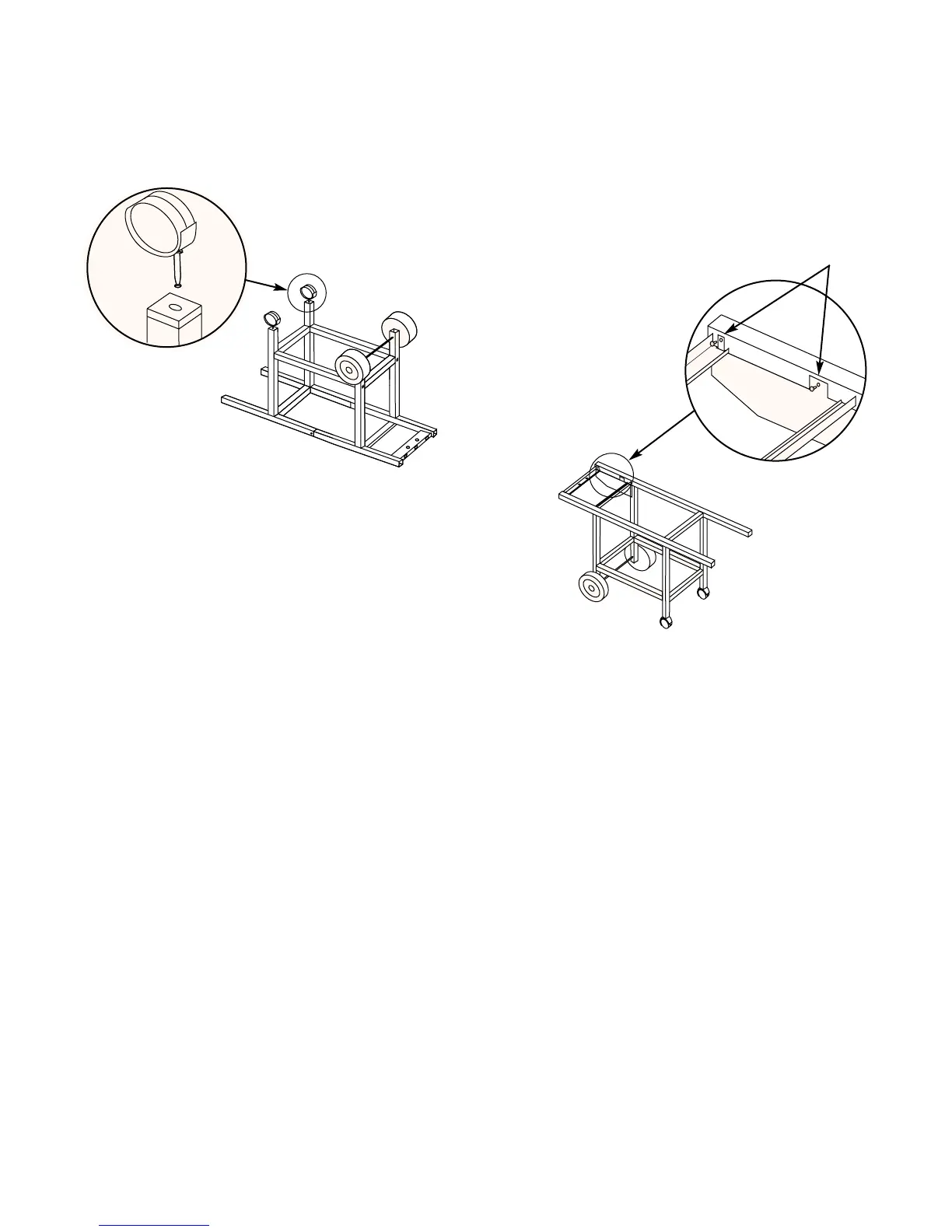
Figure 6
Step 7
Add front panel
You will need: front panel and two plastic buttons.
Turn frame assembly right side up.
Insert the tab on the narrow end of the front panel up
through the slot in the frame brace as shown in figure 6.
Align the panel with the holes in the frame and insert the
plastic buttons through the front panel and frame. Figure 6.
View from rear
of barbecue
Plastic buttons
Step 6
Insert casters
You will need: frame assembly and two casters.
Push the casters firmly into the inserts in the ends of the
caster legs. Figure 5.
Figure 5



 To Next Page