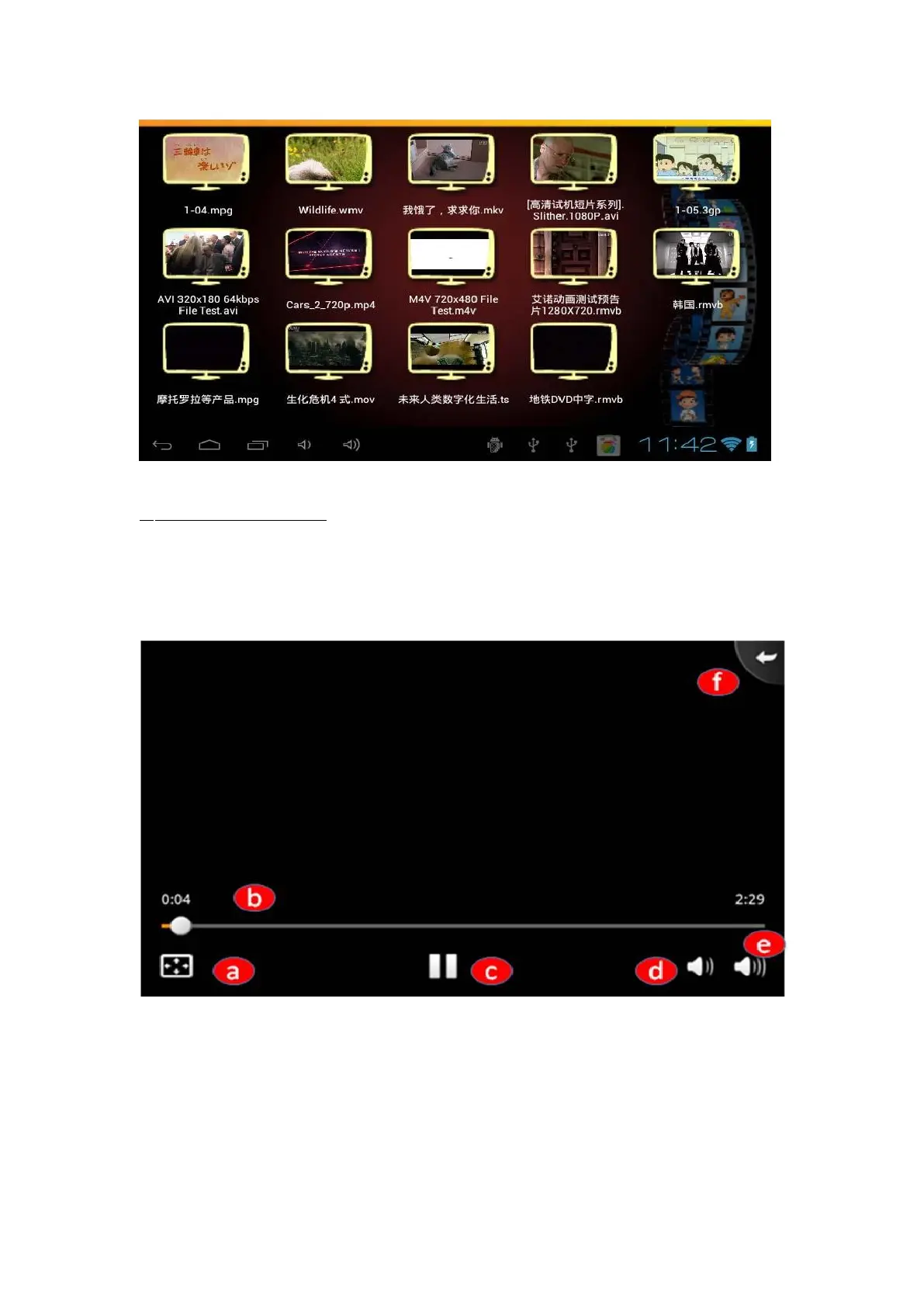
2- How to watch a video?
Press on the video you want to watch, it will launch the videoPlayer. Then you can
use the controls of the player.
a- Press on this button to watch your video in full screen or not
b- Press on the small round if you want to go forwards in the movie.
c- Play / Pause: When a video is playing, press to pause it. Press again
to resume.
d- Volume button : Press it to get a lower sound.
e- Volume button: Press it to get a louder sound.



 To Next Page