Need help?
Do you have a question about the weewell WMV812 and is the answer not in the manual?
Key safety warnings, handling instructions, and potential hazards like strangulation and battery risks.
Instructions for connecting power adapters and turning on the baby and parent units.
Information on the parent unit's rechargeable battery, charging, and battery life.
Guidance on placing and mounting the baby unit for optimal viewing and sound detection.
How the night vision feature works and its visual output.
Explanation of VOX mode for reducing RF emission and saving battery.
How to set the sensitivity level for VOX and Auto Mute modes.
Solutions for common issues like interference, no video, or no audio.
 General
| Wireless | Yes |
|---|---|
| Two-way communication | Yes |
| Night vision | Yes |
| Temperature sensor | Yes |
| Lullabies | Yes |
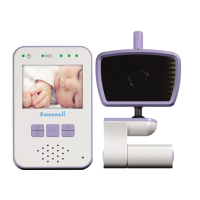
| Screen size | 2.4 inches |
| Display | LCD |
| Range | 300 meters |
| Power Source | Rechargeable Battery |
| Temperature Monitoring | Yes |
| Two-Way Audio | Yes |
| Sound Activation | Yes |
| Number of Cameras | 1 |
| Mounting Options | Tabletop |
| Type | Video |
| Battery Life | 8 hours |

 To Next Page