Need help?
Do you have a question about the weewell WMA500 and is the answer not in the manual?
Important usage and storage guidelines including temperature and environmental factors.
Information on proper disposal of electrical and electronic products according to European Directive.
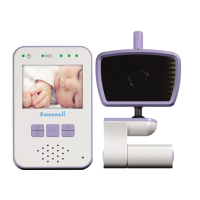
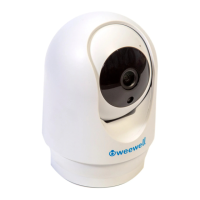
Lists all items included in the baby monitor package, including units and accessories.
Step-by-step guide for connecting the baby unit to a power outlet using the provided adapter.
Instructions for inserting batteries and connecting the parent unit to power for charging.
Identifies and explains the functions of the power indicator, on/off button, and microphone.
Details the components of the parent unit, including indicators, buttons, and speaker.
Explains the meaning of the different indicator lights on the parent unit for power and charging.
Guidance on optimal placement for acoustic feedback elimination and effective monitoring distance.
Instructions on how to perform a voice monitor test to ensure proper operation.
Instructions on how to turn the baby unit on and off using the dedicated button.
Instructions on how to turn the parent unit on and off using the power button.
Guide on how to adjust the volume levels on the parent unit using the volume buttons.
Steps to resolve issues when the audio monitor is not functioning at all.
Guidance for reducing or eliminating high-pitched noise from the audio monitor.
Advice for managing excessive noise from the parent unit when receiving baby sounds.
Troubleshooting steps for when the parent unit does not play any sound from the baby unit.
Solutions for low battery warnings and issues with battery charging on the parent unit.
Troubleshooting steps for when the parent unit emits beeping sounds.
General steps to resolve non-specific electronic issues or unresponsiveness.
 General
| Wireless Technology | 2.4 GHz FHSS |
|---|---|
| Two-Way Communication | Yes |
| Temperature Monitoring | Yes |
| Number of Cameras | 1 |
| Features | VOX mode |
| Range | Up to 300 meters (open space) |
| Night Vision | Yes |
| Power Source | Rechargeable battery (included), AC adapter (included) |
| Mounting Options | Tabletop |

 To Next Page