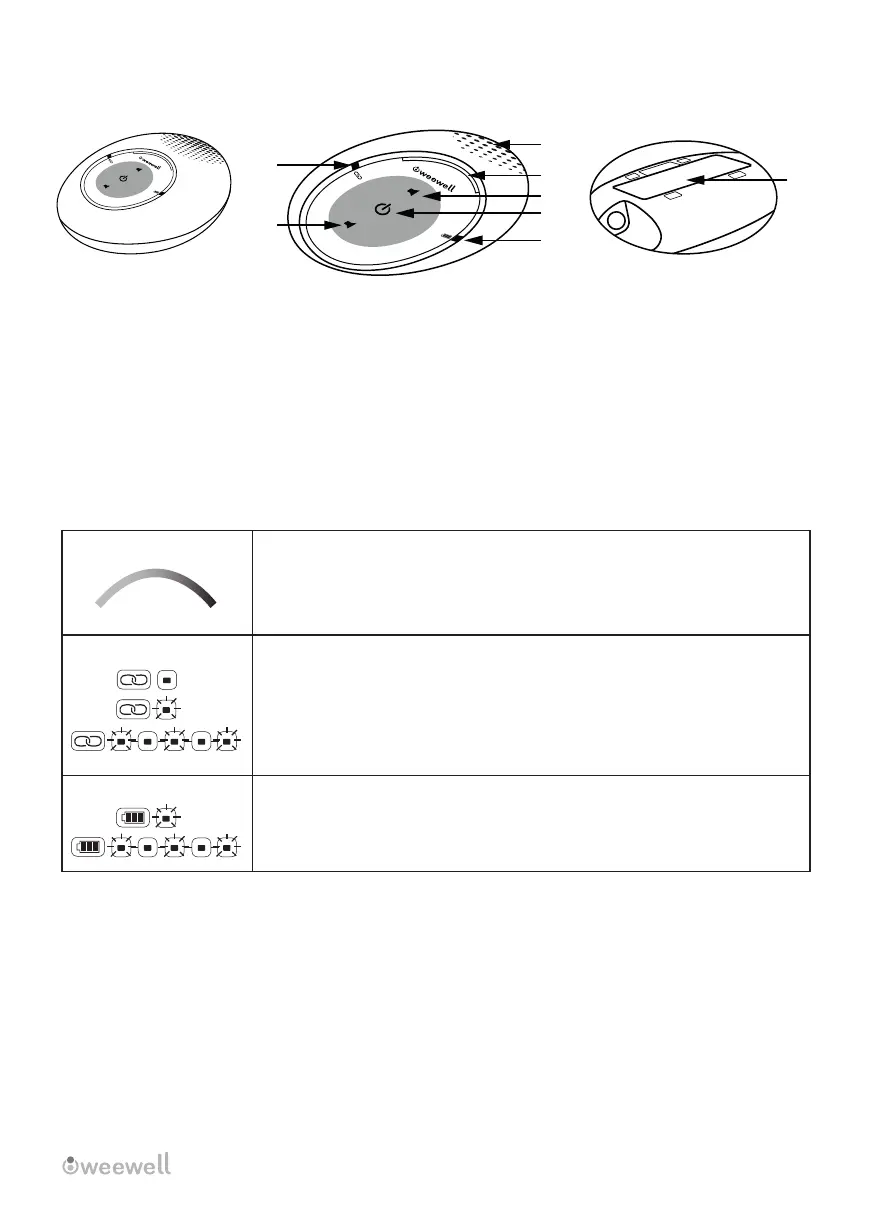
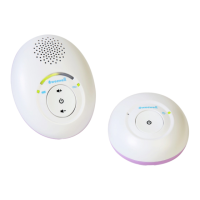
3.2 Parent Unt Overvew
1- Senstvty Lghts
2- Connecton Indcator lght
3- Volume up (Press to ncrease speaker volume.)
4- On / Off
5- Low Battery / Charge Indcator / Power Lght
6- Volume reducton (Press to decrease the speaker volume.)
7- Speaker
8- Cover for the Battery Compartment
3.3 Parent Unt Lghts
3.4 Placement and Workng Dstance
3.4.1 Postonng the Audo Montor
Place the parent unt n close proxmty to the baby unt. To elmnate acoustc feedback, we recommend
placng the parent unt at least 2.5 meters away from the baby unt. If you're stll gettng audo feedback,
ncrease the dstance between the parent and baby unts.
NOTES
• If the sgnal s weak, consder movng the baby and/or parent unt around the room.
• Stayng close enough to ntervene n any stuaton s the caregver's responsblty.
WMA500 USER MANUAL │ 7
The sound level measured by the baby unt s ndcated by two green lghts
and one red lght. The presence of medum volume s ndcated by green
lghts. A hgh sound level has been detected, as ndcated by the red lghts.
The more lghts turn on, the greater the detected sound level s.
• When the parent unt s swtched off, t turns off.
• When the parent unt s turned on and connected to the baby unt,
the lght turns sold green.
• When there s no connecton between the baby unt and the parent unt,
the lght flashes green.
• When the parent unt s chargng, t turns sold green.
• It wll flash green and gve an audo warnng f the battery s low.
Charge
Power
+
-
2
3
4
5
6
7
1
8


 To Next Page