I
WMV812 USER MANUAL
6
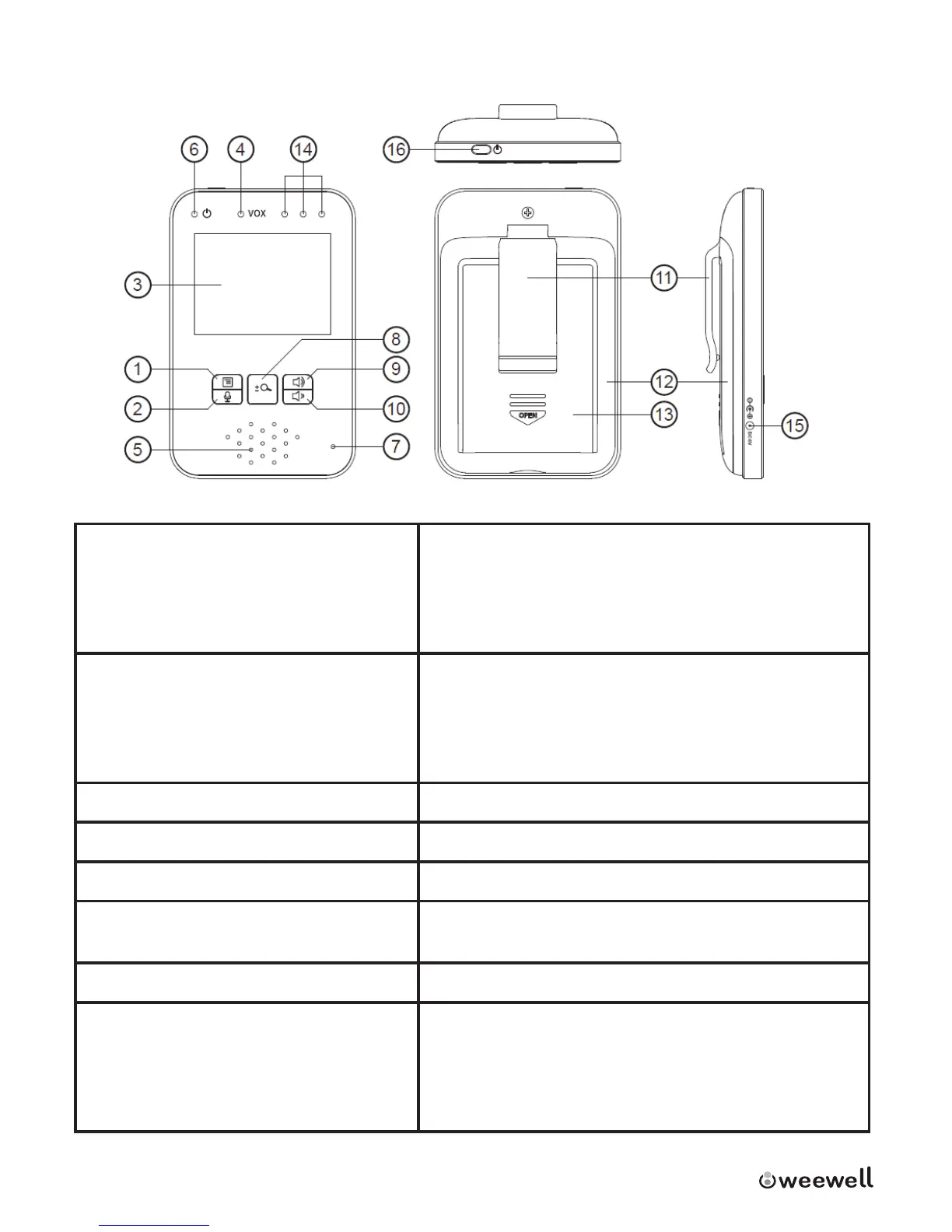
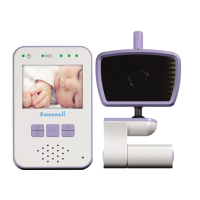
1.2 Overview of the Parent Unit
1.Menu Key
Normal mode: Press to enter / exit
menu
Zoom in mode: Right arrow to
move image to the right
9.Volume up
Normal mode: Adjust audio level louder
Zoom in mode: Up arrow to move image to
the top
Menu mode: to switch between menu items
2.Talk Key
Normal mode: Press and hold to
speak to your baby
Zoom in mode: Le arrow to move
image to the le
10.Volume down
Normal mode: Adjust audio level lower
Zoom in mode: down arrow to move image to
the boom
Menu mode: to switch between menu items
3.Display (LCD) 11.Belt clip
4.VOX mode LED (green LED) 12.Stand
5.Speaker 13.Baery cover
6.Power LED (Power on=steady
green) (Baery low=ash red)
14.Audio level LEDs (Blue)
7.Microphone 15.Power adapter connector
8.Zoom Key
Press to zoom in 2X
Press again to go back to 1X
Menu Mode: to switch between
menu items
16.Power On/O switch
Press and hold to turn on/o parent unit


 To Next Page