WMV850 USER MANUAL I 7
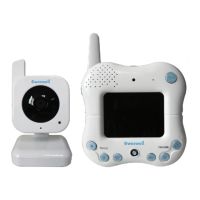
Camera
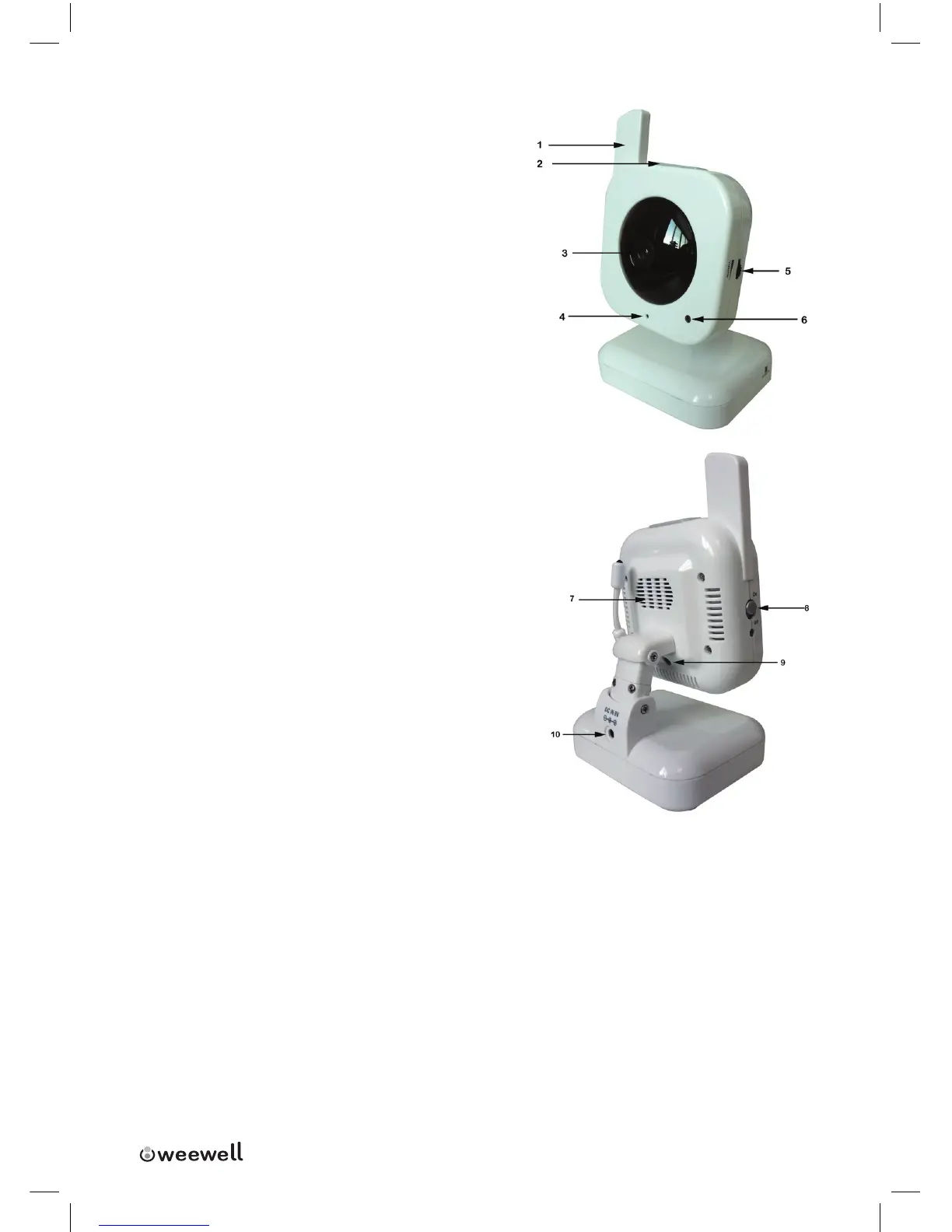
1. Camera Antenna:Receives&Sendssig-
nalstoorfromtheReceiver.
2. Night Light Button:PresstoturntheLight
ONorOFF.Alternatively,presstheLight
buttonontheReceivertoremotelyturnthe
CameraLightONorOFF.
3. Lens/IR LED Cover: InfraredLEDsprovide
viewinginno/lowlightconditions.
4. Microphone:Receivessoundsforthearea
nearthecamera,andtransmitssounds
fromtheCameratotheReceiver.
5. Sensitivity:Adjustthesensitivityknobto
settheSoundAlarmsensitivity.TheReceiver
willbeeptoalerttheuserwhenthesoundis
aboveapresetsoundlevel.Adjusttoincrease
ordecreasethelevelofsensitivity.
6. Optical Sensor:Todetectthelightlevel
wherethecameraisplacedandcontrolthe
nightlightstatus,onoro.
7. Speaker:Producesthesoundtransmitted
fromthemonitor.
8. Power Switch:TurnstheCameraONorOFF.
9. Pairing Button:Thepairingbuttonislocated
onthebackofthecamerabehindbythestandmount.
10. Power Jack: ConnecttheDC5VPowerAdaptortotheCamera.
NOTE: The Camera can also be powered using 4 AA Batteries (not included)
installed in the base. If the Camera is plugged in with the AC Adaptor,
the batteries will not be used. The batteries are intended for short term,
portable Camera use.


 To Next Page