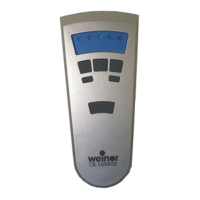
© weinor GmbH & Co. KG 16 | EN © weinor GmbH & Co. KG EN | 17
Deleting the ventilation position in the receiver
1. Press both the STOP button and the UP button.
2. Hold down this button combination for approximately 3 seconds.
The status display lights briefl y.
Deleting the transmitter channel in the receiver
1. Press both the STOP button and the programming button P (on
the rear of the unit).
2. Keep this button combination pressed for approximately 6
seconds until the status display lights orange briefl y and then
lights red.
The channel in the transmitter is also deleted.
Deleting all the transmitters in the receiver
1. Press the STOP button and also the programming button P (on
the rear of the unit) + UP button + DOWN button.
2. Hold down this button combination for approximately 6 seconds.
The status display lights up orange-green briefl y twice, followed
by red (bidirectional).
The channel in the transmitter is also deleted.
Expert Settings
DIP switch 2 on the rear of the device, beneath the cover:
Switch up: Off (bidirectional and unidirectional operation possible;
default setting), switch down: On (bidirectional operation only
possible). DIP switch 1: OEM settings.
2. Also press the STOP button. The blind stops. The status display
lights briefl y.
The ventilation position/tilting position is programmed.
Approaching intermediate position
Requirement
The transmitter/transmitter channel is programmed. The blind is at
its upper end position.
1. Press the DOWN button twice briefl y. The status display lights
briefl y.
2. The blind travels to the stored intermediate position. In the case
of Venetian blinds, after reaching the intermediate position,
the slats turn automatically. If no intermediate position is
programmed, the blind drives to the bottom end position.
Approaching ventilation/tilting position
Requirement
The transmitter/transmitter channel is programmed. The blind is at
its lower end position.
1. Press the UP button twice briefl y. The status display lights briefl y.
2. The blind travels to the stored ventilation/tilting position. If no
ventilation/tilting position has been programmed, the blind
moves to the top end position.
Deleting positions/deleting transmitters
Deleting the intermediate position in the receiver
1. Press both the STOP and DOWN buttons.
2. Hold down this button combination for approximately 3 seconds.
The status display lights briefl y.


 To Next Page
 Loading...