EasyManua.ls Logo

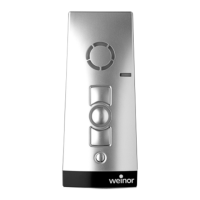
weinor BiEasy 1M - User Manual

weinor BiEasy 1M
13 pages
Print Icon
To Next Page IconTo Next Page
Loading...
LumeroTel 2 867/868/915 MHz
28225.0001, 28226.0001,
28227.0001, 28225.0901,
28226.0901, 28227.0901
0682
Operating instructions (translation)
181226401_ENT_0213
BiEasy 1M

Questions and Answers

  • M
    Michael RyanAug 1, 2025
    What to do if my weinor BiEasy 1M Remote Control drive is not running and the status display flashes red or orange?
    • D
      David GardnerAug 1, 2025
      If the Weinor Remote Control drive is not running, and the status display flashes red or orange, it could be due to several reasons. First, the receiver might be out of radio range; try reducing the distance to the receiver. Second, the receiver may not be operating or could be faulty; try switching it on or replacing it. Third, the receiver might not be programmed yet; in this case, program the receiver.
  • A
    Alexander MartinAug 11, 2025
    Why is my weinor BiEasy 1M Remote Control drive running in the wrong direction?
    • S
      Stephanie RiceAug 12, 2025
      If the Weinor Remote Control drive runs in the wrong direction, it is likely because the directions are incorrectly allocated. To resolve this, delete the transmitter and reprogram it.
  • C
    Christopher CollierAug 20, 2025
    How to fix a weinor BiEasy 1M when the drive is not running and the status display doesn't light up?
    • C
      Casey HernandezAug 20, 2025
      If the Weinor Remote Control drive is not running and the status display does not light up, it could be due to exhausted or incorrectly installed batteries. To fix this, insert new batteries or ensure the batteries are correctly installed.

Summary

Safety Instructions

Observance of Safety Instructions

User and operator must read and understand instructions for safe operation.

Cautionary Warnings

Failure to observe instructions may lead to injury; handle with care.

Installation Guidelines

Observe all regulations for installation and use.

Radio Operation Safety

Radio Operation Safety

Guidelines for safe and interference-free radio operation.

Intended Use

Mounting of Wall Bracket

Drilling Precautions

Ensure holes for wall bracket do not damage electric cables.

Device Description

Explanation of Functions

Bidirectional Radio System

How the transmitter sends signals and receives feedback from receivers.

Status Display Meanings

Interpreting LED signals for channel status, programming, and battery.

Selection Button Operation

Programming the Transmitter

Programming Requirement

Ensure receiver is installed and channel is clear before programming.

Programming Procedure

Step-by-step guide to program a transmitter to a receiver.

Programming Notes

Important tips, including cancelling programming and repeat if needed.

Programming Additional Transmitters

Multiple Receiver Programming

How to program multiple receivers simultaneously for synchronized operation.

Adding New Transmitters

Steps to assign additional transmitters to an already programmed receiver.

Synchronized Programming Mode

Synchronized Programming Steps

Program one transmitter to multiple receivers simultaneously.

Stopping Programming Mode

Approaching End Positions

Lower End Position Control

How to move the drive to its lower end position.

Upper End Position Control

How to move the drive to its upper end position.

Programming Intermediate Position

Intermediate Position Requirement

Conditions for programming an intermediate position.

Programming Ventilation;Turning Position

Approaching Intermediate Position

Approaching Ventilation;Turning Position

Operation with Combio JA Pulse

Deleting Positions and Transmitters

Replacing the Battery

Troubleshooting

Troubleshooting Guide

Common faults, their causes, and remedies for device operation.

weinor BiEasy 1M Specifications

General IconGeneral
Brandweinor
ModelBiEasy 1M
CategoryRemote Control
LanguageEnglish

Related product manuals