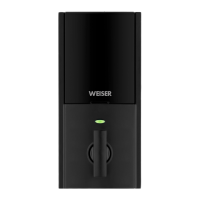
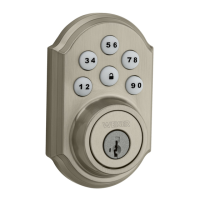
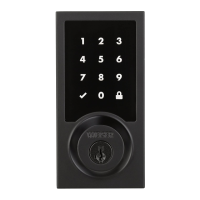
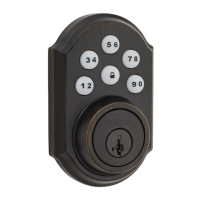
This document serves as a comprehensive troubleshooting guide for Weiser's smart lock series, including Aura, Halo Keypad, Halo Touchscreen, and Halo Touch (Fingerprint) models. It covers various aspects from initial door preparation and installation to app usage, Bluetooth connectivity, Wi-Fi setup, smart home integration, and specific troubleshooting for the Halo Touch fingerprint lock.
Function Description
The Weiser smart locks are designed to provide secure and convenient access to your home. They offer multiple methods of locking and unlocking, including traditional keys, access codes (for keypad and touchscreen models), fingerprints (for Halo Touch), and remote control via the Weiser app. These locks integrate with your home's Wi-Fi network (for Halo models) or connect directly via Bluetooth (for Aura models) to enable smart features such as remote locking/unlocking, user management, and event notifications. The system allows for the creation of a "Home" within the app, where multiple locks can be managed, and different user roles (Owner, Admin, Member) can be assigned with varying levels of control.
Usage Features
The Weiser smart locks offer a range of features aimed at enhancing user convenience and security:
- Multiple Access Methods: Depending on the model, users can unlock their doors using a physical key, a personalized access code on a keypad or touchscreen, a registered fingerprint, or through the Weiser app.
- Remote Locking/Unlocking: Halo locks, when connected to Wi-Fi, allow users to lock and unlock their doors remotely via the Weiser app, providing peace of mind and convenience. Aura locks offer this functionality when the smartphone is within Bluetooth range.
- User Management: The Weiser app allows the owner to add, delete, and manage multiple users. For each user, specific access codes or fingerprints can be enrolled.
- Scheduled Access: Users can set specific access times for individuals, which is useful for granting temporary access to guests, service providers, or family members.
- Event History: The app provides a detailed history of lock events, including when the door was locked or unlocked, and by whom. This feature helps monitor activity at your door.
- Notifications: Users can receive notifications for various lock events, such as low battery, new user added/removed, lock tampering, and firmware updates.
- Secure Mode: This feature allows the owner to temporarily disable all access codes and enrolled fingerprints, requiring a physical key or an authorized smartphone for unlocking.
- Smart Home Integration: Halo locks can be integrated with popular smart home platforms like Amazon Alexa and Google Assistant, enabling voice control for locking and checking lock status.
- Firmware Updates: The app facilitates over-the-air firmware updates for the locks, ensuring they always have the latest features and security enhancements.
- Turnpiece Operation: For manual operation, the interior turnpiece allows for quick locking and unlocking from inside the home.
Maintenance Features
Maintaining the optimal performance and longevity of your Weiser smart lock involves several key aspects:
- Battery Replacement: The locks are powered by (4) AA batteries. The guide provides clear instructions on how to replace these batteries, whether the security screw is installed or not.
- Low Battery Indicators: The locks provide multiple indicators for low battery, including flashing keypads (Aura and Halo Keypad), flashing symbols (Halo Touchscreen), flashing exterior LED and beeping (Halo Touch), and a battery level indicator within the Weiser app with notifications.
- Door Alignment: Proper door alignment is crucial for the lock's smooth operation and battery life. The guide recommends referring to the "Warped Door Installation Guide" for tips on aligning the door to prevent resistance during locking/unlocking.
- Cable Routing: During installation, ensuring the cable is routed and stored correctly helps prevent issues and ensures proper functionality.
- Manual Door Handing/Calibration: This process teaches the lock the orientation of your door (left- or right-handed) and is essential for correct locking and unlocking. It can be performed automatically upon battery insertion or manually through a specific sequence of button presses. This is also a key step in troubleshooting jam errors or incorrect lock behavior.
- Wi-Fi Connection Strength: For Halo locks, a strong Wi-Fi connection is vital for remote functionality and app features. The guide suggests investigating mesh Wi-Fi networks for better coverage if frequent battery replacement is needed due to a weak signal.
- App Updates: Keeping the Weiser app updated to the latest version is important for accessing new features, bug fixes, and ensuring compatibility with your lock.
- Firmware Updates: Regular firmware updates for the lock, managed through the app, ensure the device benefits from the latest performance improvements and security patches.
- Factory Reset: In cases of significant troubleshooting, changing Wi-Fi network settings, or transferring ownership, a factory reset can be performed. This process deletes all Wi-Fi settings, user associations, and lock settings, requiring re-activation.
- Bluetooth Troubleshooting: The guide provides steps for resolving Bluetooth pairing issues, including removing the lock from the smartphone's Bluetooth device list, toggling Bluetooth services, and performing a factory reset if necessary.
- Fingerprint Enrollment (Halo Touch): For Halo Touch users, the guide provides detailed instructions on how to enroll fingerprints, emphasizing dry fingers and proper sensor coverage. It also advises on deleting and re-enrolling fingerprints if they are unable to unlock the door.

 Need help?
 General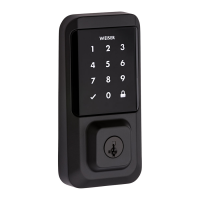

 To Next Page