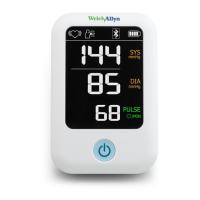
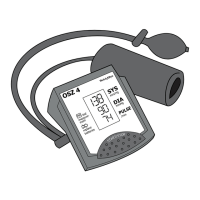
Symbol Description
Motion indicator
Motion may result in an inaccurate measurement.
Reading out of range
Either SYS > 260mmHg or DIA > 220mmHg. The symbol may appear in either the SYS
or DIA area of the screen.
Alarm priority = Low (an ! appears near the top of the screen)
Reading out of range
Either SYS < 50mmHg or DIA <25mmHg. The symbol may appear in either the SYS or
DIA area of the screen.
Alarm priority = Low (an ! appears near the top of the screen)
Insert or replace the batteries
WARNING Injury risk. Do not burn batteries. Batteries may leak or
explode.
CAUTION Remove the batteries if the device is not used regularly.
CAUTION Dispose of old batteries by following your local recycling
guidelines.
If you are not using AC power, you must install 4 AA alkaline batteries before using the
device.
Replace the batteries when any of the following occurs:
•
The battery charge indicator indicates a low charge
• The display dims
• The display does not light up
1. Slide off the battery cover.
2. Install the batteries by matching the polarity as shown in the diagram.
Directions for use Introduction 11


 To Next Page
 Loading...