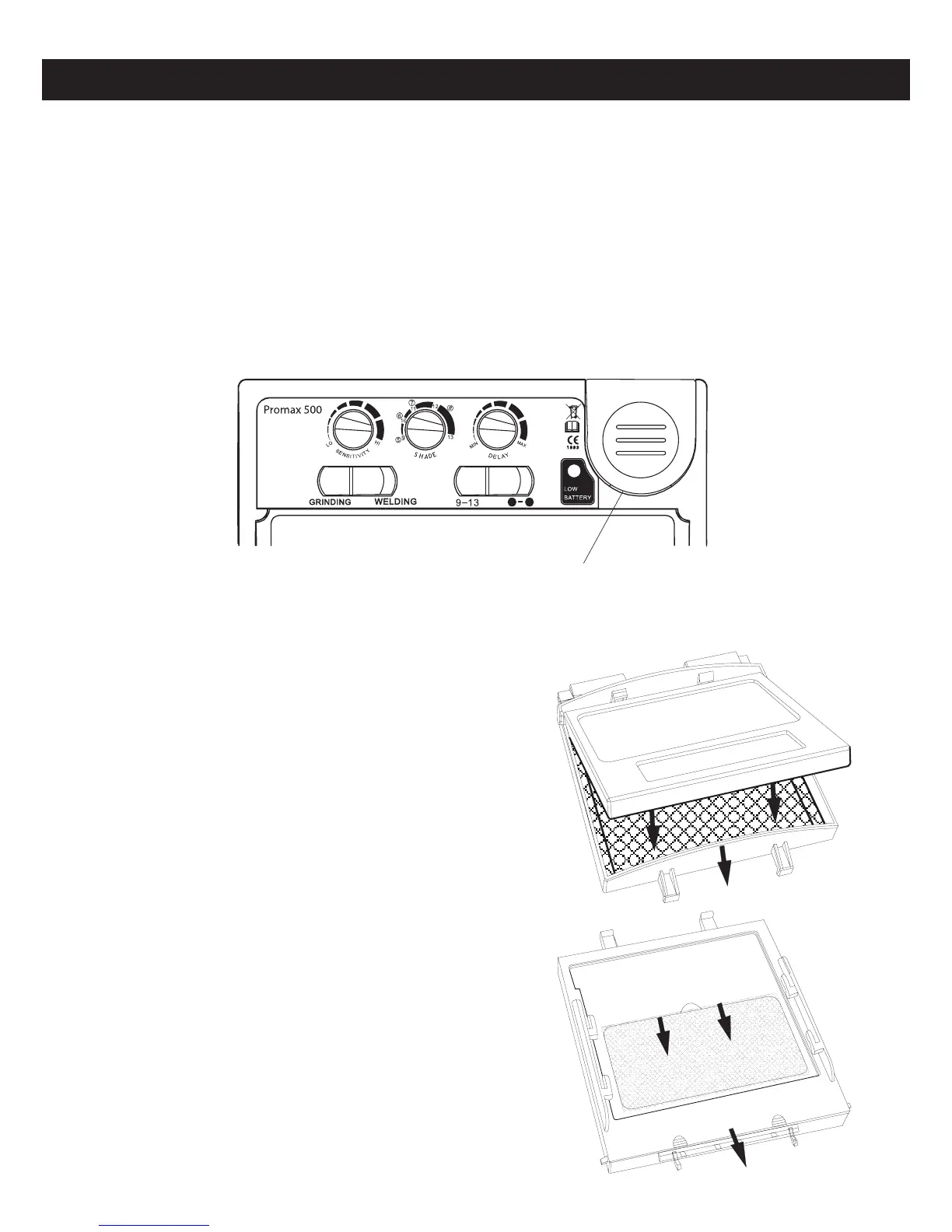
b. REPLACING COVER LENSES
[Refer to parts diagram under section 5]
Replacing Outer Cover Lens: Unfasten the
plastic clip on the bottom of the lens retainer
frame (6) & remove the ADF & frame (2+6).
Remove the outer clear lens (1) & replace.
Reverse these steps to re-assemble the
helmet.
Replacing Inner Cover Lens: Unfasten the
clip on the bottom of the lens retainer frame
(6) & remove the ADF & frame (2+6). Remove
the ADF (2) from the frame (6). Remove the
inner cover lens (3). Fit new cover lens &
reverse these steps to re-assemble the
helmet.
IMPORTANT: Use only original Weldclass
cover lenses to ensure correct t and
conformance to safety standards.
4 / REPLACING ACCESSORIES & MAKING ADJUSTMENTS
a. REPLACING BATTERY [Promax 350 & 500 only]
When the batteries have become discharged, the LED light will turn on indicate that
the batteries should be replaced immediately.
[Refer to diagram under section 5] Unfasten the plastic clip on the bottom of the
lens retainer frame (6) & remove the ADF & frame (2+6). Remove the ADF (2) from
the frame (6). Slide open the battery cover & replace the battery. As indicated on
the battery cover, the battery should be placed with “+” side upwards (closest to the
battery cover). Reverse these steps to re-assemble the helmet.
Battery Terminal Cover


 To Next Page