EasyManua.ls Logo

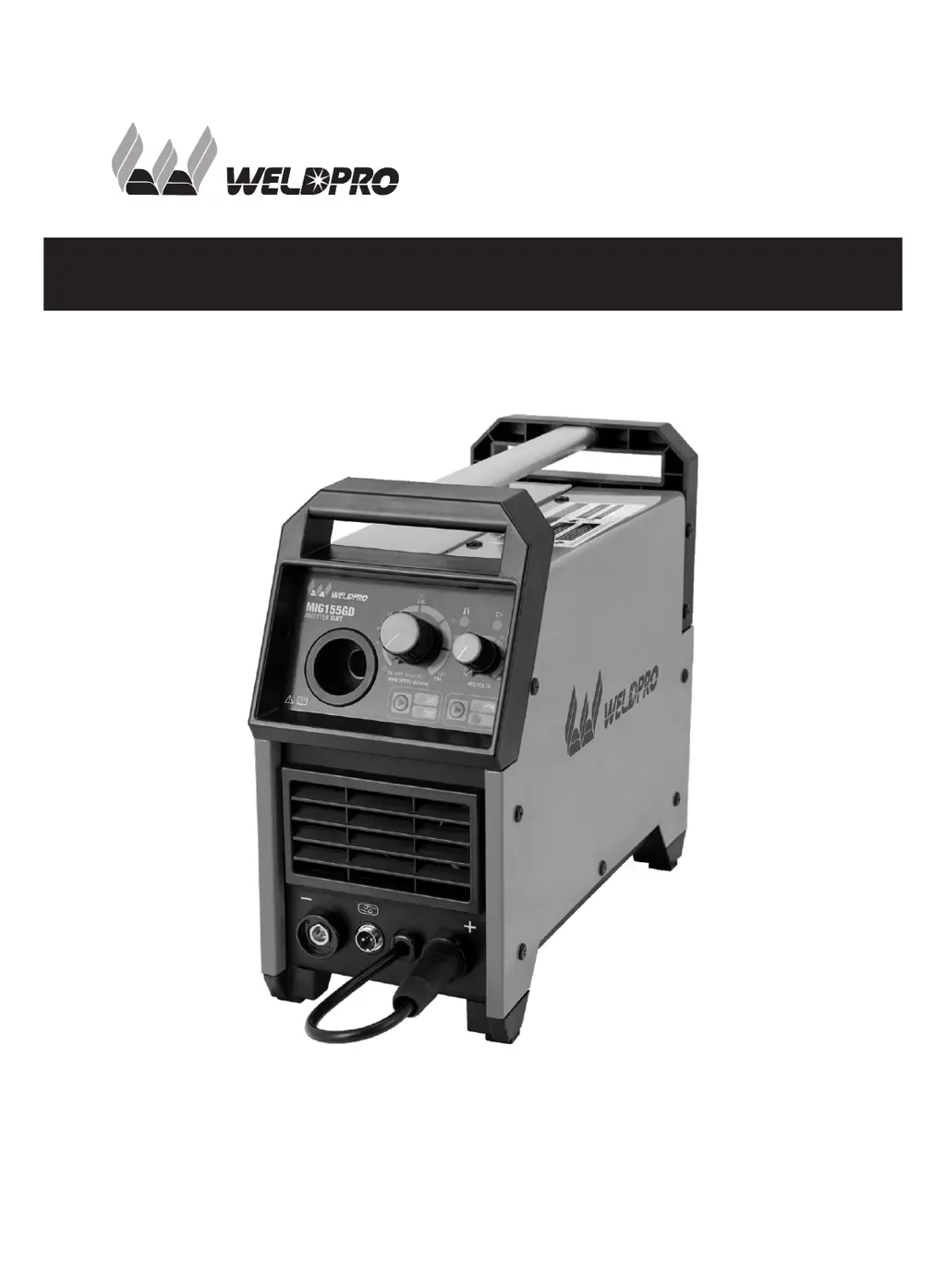
WELDPRO MIG155GD - User Manual

WELDPRO MIG155GD
36 pages
Print Icon
To Next Page IconTo Next Page
Loading...
MIG155GD
Operator’s Manual
LINLONG LIMITED
www.weldpro.com

Questions and Answers

  • D
    Dana GonzalezAug 5, 2025
    What to do if the fault indicator light is on in my WELDPRO Welding System?
    • J
      Jeffrey HillAug 5, 2025
      If the fault indicator light is on, the overheat protection may be activated. You can try turning off the power switch and restarting the machine once the fault indication light is off. Alternatively, the overheat protection may be activated, so wait 2-3 minutes. There may also be a malfunction in the inverter circuit.
  • N
    Nicholas PooleAug 14, 2025
    What to do if there is no welding output from my WELDPRO Welding System, but the power light is on and the fan is working?
    • M
      Michael CurryAug 14, 2025
      If there is no welding output, first, check if all internal cables of the machine are well connected. Also, ensure that the output connector is properly connected. The control circuit could also be damaged.
  • S
    Sheila BarreraAug 25, 2025
    How to troubleshoot no power, fan, or welding output on my WELDPRO Welding System?
    • R
      rossangelaAug 25, 2025
      If the power indicator light is off, the fan isn't running, and there's no welding output, make sure that the power switch is turned on. Check if the power network works well. Inspect the connections of the cable connecting the power switch with the control panel, and the connections of the cable connecting the control panel with the main control panel. Check if the silicone bridge is broken or the silicon bridge connector is not connected properly. The power supply panel may be burnt out, the control panel damaged, or the main control panel's auxiliary power supply may be damaged.

Summary

Weldpro Safety

General Safe Practices

Provides general guidelines for safe welding and cutting operations, emphasizing training and compliance.

Arc Welding Hazards

Details hazards associated with arc welding, including electric shock and proper protective equipment.

Plasma Arc Cutting Hazards

Outlines hazards specific to plasma arc cutting, focusing on fire, explosion, and personal injury risks.

Special Situations & Equipment

Addresses safety concerns in special environments like confined spaces and with specific equipment.

EMF Information

Explains the effects of electric and magnetic fields (EMF) on medical devices and safety measures.

California Proposition 65 Warnings

Provides warnings regarding potential cancer and reproductive harm associated with industrial use.

Principal Safety Standards

Lists key industry standards and organizations relevant to welding and cutting safety.

Product Description

Lens Shade Selector Guide

Two Year Warranty

Technical Parameters

General Welding Facts

MIG Welding Explained

Describes MIG (Metal Inert Gas) welding, its shielding gas, and its benefits.

Flux Core Welding Explained

Explains Flux Core welding, which uses flux inside the wire for shielding gas.

MMA Welding Explained

Details MMA (Manual Metal Arc) welding, also known as stick or arc welding.

Electrical Voltage and Polarity

Understanding Electrical Polarity

Explains DCEN (electrode negative) and DCEP (electrode positive) and their impact on welding.

Installation Guide

Changing Polarity for Welding Modes

Details how to change polarity for MIG, Flux Core, and MMA welding modes.

MIG Mode Installation Diagram

Illustrates the setup for MIG welding, including gas cylinder and torch connections.

MMA Mode Installation Diagram

Shows the setup for MMA (stick) welding, highlighting electrode holder and ground connections.

MIG Torch Nozzle & Contact Tip Installation

Instructions for installing MIG torch nozzles and contact tips, including size matching.

MIG Torch Connection

Guide on connecting the MIG torch cable to the welding machine.

Welding Wire Installation

Step-by-step guide for loading a new roll of welding wire into the machine.

Gas Regulator and Tank Installation

Instructions for connecting the gas regulator to the gas tank and the welder.

Spool Gun Setup

Guide for setting up and installing the optional spool gun accessory.

Operation Guide

Front Panel Layout and Controls

Identifies and explains the controls and indicators on the front panel of the welder.

Back Panel Features

Describes the connectors and ports located on the back panel of the welder.

Operating Instructions and Settings

Provides instructions on turning on the welder and setting welding current for different processes.

Daily Checking and Maintenance

Welding Torch Inspection

Checks for proper connection, damage, and blockages in the welding torch and its components.

Cables Inspection

Inspects welding torch cables, output cables, input cables, and grounding cables for wear and connection integrity.

Troubleshooting Common Issues

WELDPRO MIG155GD Specifications

General IconGeneral
BrandWELDPRO
ModelMIG155GD
CategoryWelding System
LanguageEnglish

Related product manuals