3
3. Apply the Lockout Pencil to the ESD symbol on the front panel. The single decimal point in the MSD (Most Significant
Digit) will slowly blink for approximately 3 seconds. At this point, the single decimal point in the MD (Middle Digit) will
begin to flash, indicating that it is in the Offset mode. Adjust the digital display to where it matches the measured tip
temperature. Now remove the Lockout Pencil and the temperature Offset procedure is complete. The Offset is retained
when the station power is turned off.
Note: The Offset allows for approximately +/- 75° F (42° C) adjustment capability. If the measured error is greater
than +/- 75° F (42° C), the station will reject the input by continuously displaying NO on the digital display,
until the Lockout Probe is removed from the panel. At this point, the Offset procedure (Step 3 above) must
be repeated with an offset used, within the acceptable range.
RESET STATION TO FACTORY DEFAULT SETTINGS
With the station power turned Off, adjust the temperature set knob to the lowest setting: 350°F (177°C). Apply the Lockout Pencil
to the ESD symbol on the front panel and turn the station On. Remove the Lockout Pencil and the procedure is complete. Any tip
temperature Offset programmed into the memory will now be reset to the nominal factory settings. Lockout will also be cleared.
AUTO OFF FEATURE
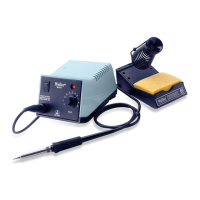
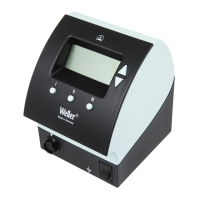
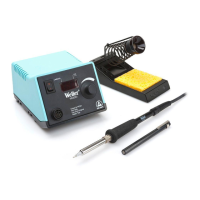
The Weller
®
Model WESD51 Model Station will automatically shut off power to the tool and the digital display after 99 minutes of
inactivity of the iron. Certain applications may not be recognized by the Loading Effect or Temperature Drop on the tool and may
require more frequent wiping of the tip on the damp sponge, to recognize use.
°F/°C OPERATION
The WESD51 Station will display temperature in either °F or °C. The factory default is °F. To change the display to °C, turn the
station off and adjust the temperature set knob fully clockwise to the maximum temperature setting. Apply the Lockout Pencil to the
ESD symbol on the front panel and turn the station on. Remove the Lockout Pencil. After a brief display test, the display will read all
temperatures in °C. Repeat the procedure to toggle back to °F.
TROUBLESHOOTING GUIDE
WARNING: AC line voltage is present inside power unit even when power switch is off. Refer service to qualified personnel.
NOTE: Access to internal parts, may be gained by removing the four rubber feet, four screws under feet and top case.
TOOL DOES NOT HEAT
With line cord unplugged and power switch on, check for approximately 21 ohms at line cord blades (55 ohms for 230V unit).
· Check power switch for continuity in the On position - replace if defective.
· Check line cord for continuity - repair or replace if defective.
· Check transformer primary - replace transformer if defective.
With line cord plugged in and power switch on, check for 24VAC ±10% between pins #2 and #6 of tool recep
tacle.
· Check transformer secondary for 24VAC ±10% - replace transformer if defective.
· Check wiring to printed circuit board assembly - repair or replace if defective.
· Replace printed circuit board assembly.
Check wiring from tool receptacle to printed circuit board.
· Repair or replace if defective.
Replace soldering tool with known good tool and recheck.
· Refer to Tool Troubleshooting Guide
· Replace printed circuit board assembly.
TOOL OVERHEATING
Replace soldering tool with known good tool and recheck.
· Refer to Tool Troubleshooting Guide
Replace printed circuit board assembly in station.
WWW.100Y.COM.TW WWW.100Y.COM.TW WWW.100Y.COM.TW
WWW.100Y.COM.TW WWW.100Y.COM.TW WWW.100Y.COM.TW
WWW.100Y.COM.TW WWW.100Y.COM.TW WWW.100Y.COM.TW
WWW.100Y.COM.TW WWW.100Y.COM.TW WWW.100Y.COM.TW
WWW.100Y.COM.TW WWW.100Y.COM.TW WWW.100Y.COM.TW
WWW.100Y.COM.TW WWW.100Y.COM.TW WWW.100Y.COM.TW
WWW.100Y.COM.TW WWW.100Y.COM.TW WWW.100Y.COM.TW
WWW.100Y.COM.TW WWW.100Y.COM.TW WWW.100Y.COM.TW
WWW.100Y.COM.TW WWW.100Y.COM.TW WWW.100Y.COM.TW
WWW.100Y.COM.TW WWW.100Y.COM.TW WWW.100Y.COM.TW
WWW.100Y.COM.TW WWW.100Y.COM.TW WWW.100Y.COM.TW
WWW.100Y.COM.TW WWW.100Y.COM.TW WWW.100Y.COM.TW
WWW.100Y.COM.TW WWW.100Y.COM.TW WWW.100Y.COM.TW
WWW.100Y.COM.TW WWW.100Y.COM.TW WWW.100Y.COM.TW
WWW.100Y.COM.TW WWW.100Y.COM.TW WWW.100Y.COM.TW
WWW.100Y.COM.TW WWW.100Y.COM.TW WWW.100Y.COM.TW
WWW.100Y.COM.TW WWW.100Y.COM.TW WWW.100Y.COM.TW
WWW.100Y.COM.TW WWW.100Y.COM.TW WWW.100Y.COM.TW
WWW.100Y.COM.TW WWW.100Y.COM.TW WWW.100Y.COM.TW
WWW.100Y.COM.TW WWW.100Y.COM.TW WWW.100Y.COM.TW
WWW.100Y.COM.TW WWW.100Y.COM.TW WWW.100Y.COM.TW
WWW.100Y.COM.TW WWW.100Y.COM.TW WWW.100Y.COM.TW
WWW.100Y.COM.TW WWW.100Y.COM.TW WWW.100Y.COM.TW
WWW.100Y.COM.TW WWW.100Y.COM.TW WWW.100Y.COM.TW
WWW.100Y.COM.TW WWW.100Y.COM.TW WWW.100Y.COM.TW
WWW.100Y.COM.TW WWW.100Y.COM.TW WWW.100Y.COM.TW
WWW.100Y.COM.TW WWW.100Y.COM.TW WWW.100Y.COM.TW
WWW.100Y.COM.TW WWW.100Y.COM.TW WWW.100Y.COM.TW
WWW.100Y.COM.TW WWW.100Y.COM.TW WWW.100Y.COM.TW
WWW.100Y.COM.TW WWW.100Y.COM.TW WWW.100Y.COM.TW
WWW.100Y.COM.TW WWW.100Y.COM.TW WWW.100Y.COM.TW
WWW.100Y.COM.TW WWW.100Y.COM.TW WWW.100Y.COM.TW
WWW.100Y.COM.TW WWW.100Y.COM.TW WWW.100Y.COM.TW
WWW.100Y.COM.TW WWW.100Y.COM.TW WWW.100Y.COM.TW
WWW.100Y.COM.TW WWW.100Y.COM.TW WWW.100Y.COM.TW
WWW.100Y.COM.TW WWW.100Y.COM.TW WWW.100Y.COM.TW
WWW.100Y.COM.TW WWW.100Y.COM.TW WWW.100Y.COM.TW
WWW.100Y.COM.TW WWW.100Y.COM.TW WWW.100Y.COM.TW


 To Next Page
 Loading...