DOWNLOAD APPLICATION
USE THIS APP
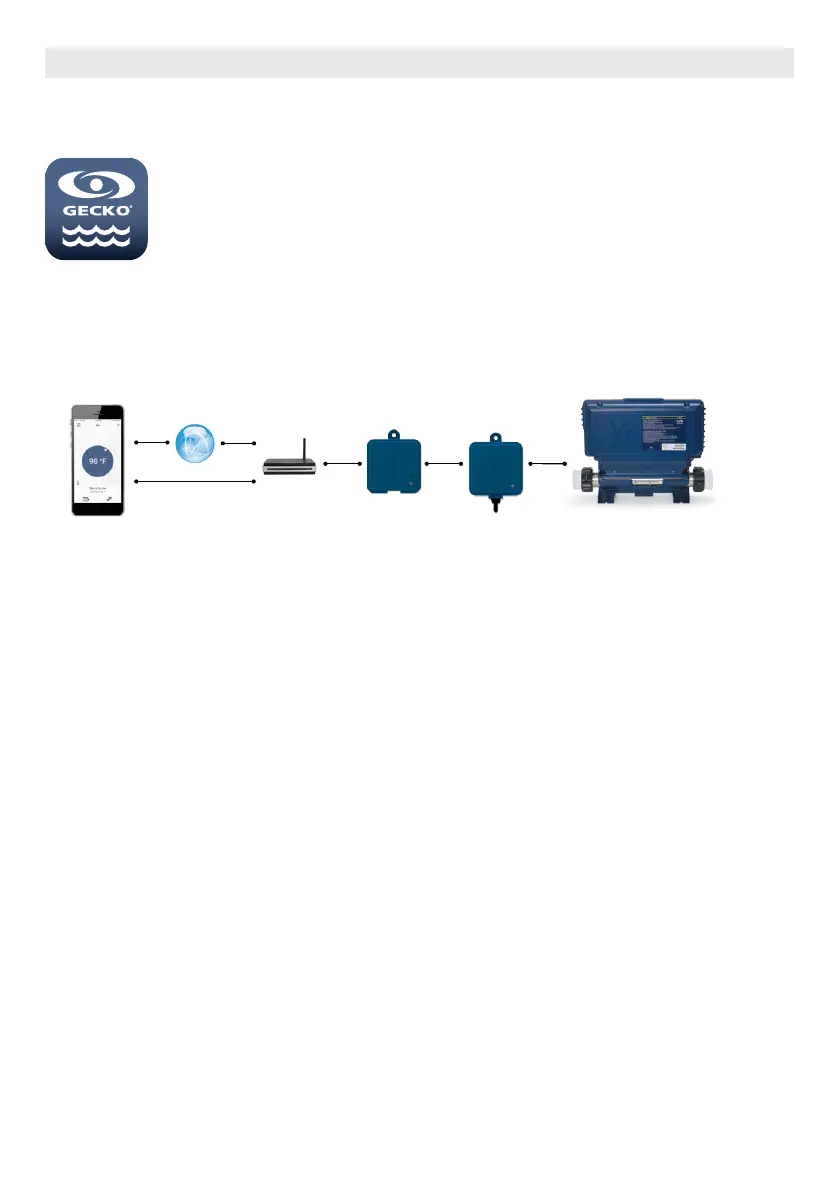
Internet EN Module CO Module
ON YOUR HOME NETWORK
It is possible to access your hot tub with the in.touch 2 app through your home network. To be able to see your
in.touch 2 in the application you need to connect your device to the same router (Wi-Fi network) than the one used
to connect your Home Transmitter
Go to the Wi-Fi settings section of your mobile device and choose the same network that your hot tub is connected to
(i.e. Home). Once you’ve selected it, wait until your device confirms the connection.
ON THE INTERNET
The in.touch 2 allows you to use the Internet to control your hot tub from anywhere in the world. In order for them to
communicate, both the in.touch 2 module and your device must be connected to a network that allows access to the
Internet.
Once your Home Transmitter is connected to the Internet (the LED status is blue), you can use your in.touch 2 app any
time your device is also connected to the Internet (wireless or cellular network), even if you are away from home.
To have access to your hot tub away from home, you will need to have previously linked your mobile device to your
hot tub on your home network.
The in.touch app allows you to control your hot tub using your home network or an Internet
connection anywhere in the world. The in.touch 2 app is waiting for you in the App Store for
iOS devices and on Google Play for Android — search for «in.touch 2» then click on it to install.
OPTIONAL ACCESSORIES IN.TOUCH 2
104



 To Next Page