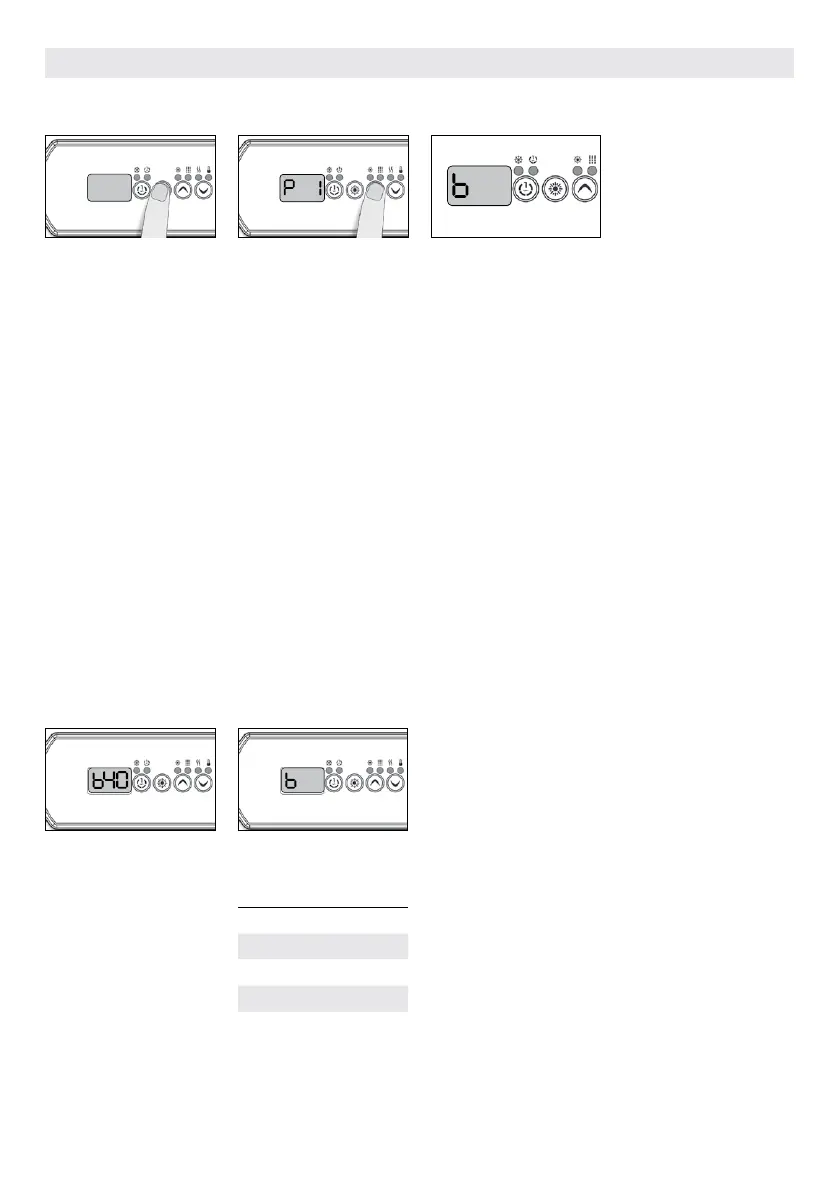
The values displayed by the
system correspond to 80%
of the maximum amperage
capacity of the GFCI.
Use the Up or Down keys to
choose the desired value.
The value can typically be
modified from 10 to 48 A.
Press on the Prog. key to set
the breaker rating.
The tables below indicate the typical value of b for different
GFCI/RCD ratings.
Choose the one that corresponds to your breaker.
Note: Every OEM has its own pre-established configurations.
It is important to specify
the current rating of the
GFCI/RCD used to ensure a
safe and efficient current
management (and reduce
nuissance GFCI/RCD trip-
pings).
Press and hold the Prog.
button until you access the
breaker setting menu. (the
programming menu will
appear first). If your control
system is equipped with the
phase configuration menu,
it will appear before the
breaker setting menu.
Note: if the keypad does not
have the Prog. Key, use the
Light key.
For color display keypad go in
setting menu.
Choose the number of
phases supplying your hot
tub (1 to 3). Use the Up or
Down keys to select the
number of phases and press
on the Prog. key to confirm
your selection.
W3000, W5000
GFCI/RCD b
60A 48A
50A 40A
40A 32A
30A 24A
20A 16A
* Only available on in.yj-3.
48
48
.
POWER UP AND BREAKER SETTING
BREAKER SETTING
139



 To Next Page