TECHNICAL SUPPORT INVITATION
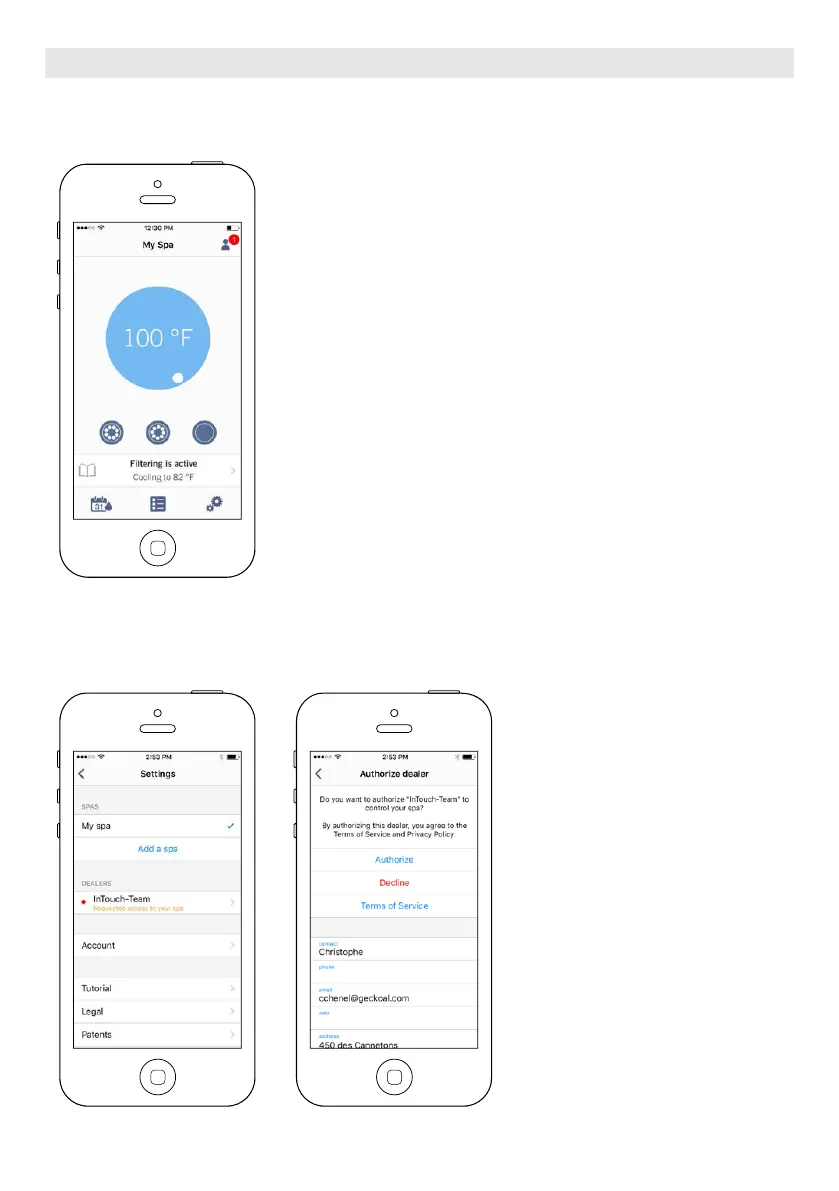
When you receive an invitation for Technical Support, a red circle will be
displayed next to the “setting” logo (top right corner).
AUTHORIZING AN INVITATION
All the invitations you may receive are
under the dealers tab in the “settings”
menu.
To choose an invitation, simply click
on it. You will then see a window
authorization to confirm with the
dealer’s information.
You can also decline the invitation at
any time if you want to.
OPTIONAL ACCESSORIES IN.TOUCH 2
120



 To Next Page