12 Do you need help? Visit our website: www.wellis.com
@. - 2021
It is recommended that the 3 sensors (orange, grey, blue) are cleaned once a month. Take W.I.S. out of
the water, remove the protective cover and clean the sensors with a damp, non-abrasive cloth. Replace
the protective cover on W.I.S., and simply drop W.I.S. back into the spa.
...
Indicator light
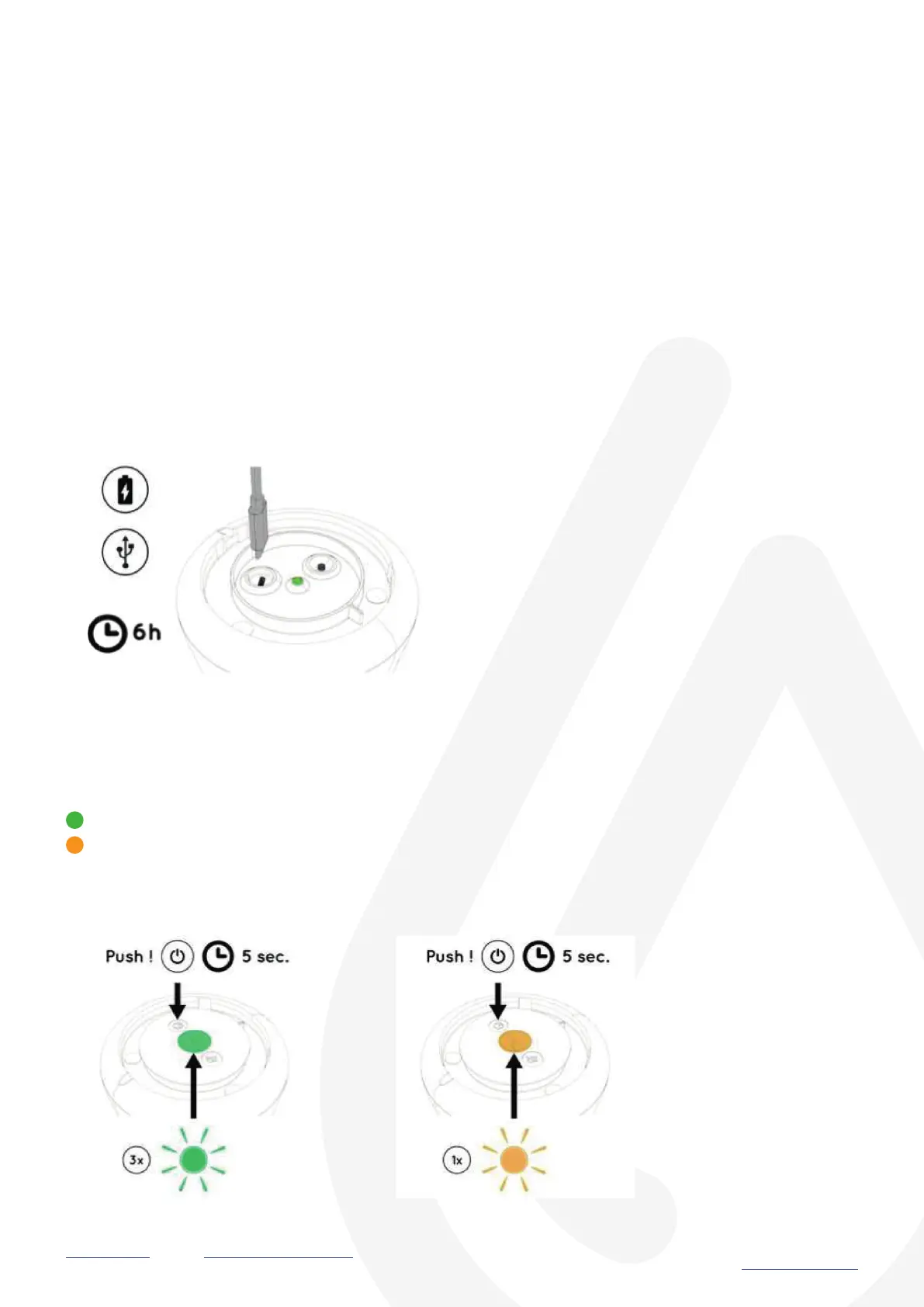
The indicator light located under the lid of the W.I.S. device displays the status of W.I.S.
Push the button for 5 seconds:
My W.I.S. blinks green three times: W.I.S. is switching on.
My W.I.S. blinks yellow once: W.I.S. is switching off.
Long life battery
USB cable and charger included.
Charge your W.I.S. for a minimum of 6 hours
Turned on
Turned off


 To Next Page