14 Do you need help? Visit our website: www.wellis.com
@. - 2021
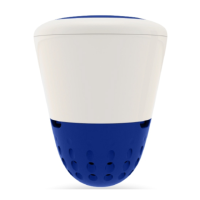
W.I.S. is a product that must be placed and used only
in a spa. The device does not measure any data when
it is out of the water.
Do not place the W.I.S. device near a source of ex-
treme heat or cold. After removing from the water, it
is imperative to protect the sensors with their protec-
tive caps by previously moistening the small sponges
inside them. If you decide to take the W.I.S. device
out of the water for an extended period of time, it is
strongly recommended to place it in its protective
box with its humidified protective caps, protected
from dust. In this way, you will be able to use the de-
vice in the best possible condition at the beginning
of the next season.
The use of W.I.S. does not present a risk of electro-
cution.
...
Make sure that the W.I.S. device and the colored
analysis chamber are not covered or hindered by any
obstruction, such as leaves, buoys, etc. This can alter
the measurements or stop data transmission.
The W.I.S. device does not present any risk to swim-
mers; it is expressly designed to float on the spa sur-
face on a permanent basis. The W.I.S. device must
not be used as a toy. It is recommended to keep the
W.I.S. device out of reach of children under the age
of 6.
For safety reasons, and in compliance with the war-
ranty terms, it is imperative to use the USB cable
and the accessories supplied with the W.I.S. device.
Wellis cannot be held responsible for damage if the
W.I.S. device is connected to a charger other than the
one supplied by Wellis.
Never force a connector into the connection socket.
If you are having trouble with connecting the con-
nector, it is probably incompatible and must not be
forced into place. Check whether the connector is
compatible with the socket and try again.
Please only use the opening tool supplied by Wellis
to open the upper lid of the W.I.S. device. The use
of a different tool for opening the W.I.S. device may
reduce the waterproof quality of the top part of the
device.
Inappropriate storage and handling may damage the
W.I.S. device. Do not drop the W.I.S. device on the
floor when removing it from the water. Do not move
the W.I.S. device when in operation.
It is forbidden to remove the top cover of the W.I.S.
device when it is floating on the water. Water will
penetrate the system and will irreversibly damage
the W.I.S. device; such damage is not covered under
the warranty terms. In such an event, Wellis accepts
no liability whatsoever for damage to the device, nor
for any data loss. Contact us for assistance at www.
wellis.com in case your device needs servicing (ex-
cept for routine maintenance).
Do not use chemicals, flammable products, liquids
(other than water) or any abrasive sponge for clean-
ing the W.I.S. device
If any liquid comes into contact with the W.I.S. de-
vice when recharging, disconnect the power supply
immediately.
If the power cord is damaged, if liquid has been
spilled on the product, if the product does not func-
tion correctly despite following the instructions or
if the product has been dropped and is damaged,
contact Wellis customer assistance at the following
website: www.wellis.com.


 To Next Page
 Loading...