@.
Do you need help? Visit our website: www.wellis.com
- 2021
7
’
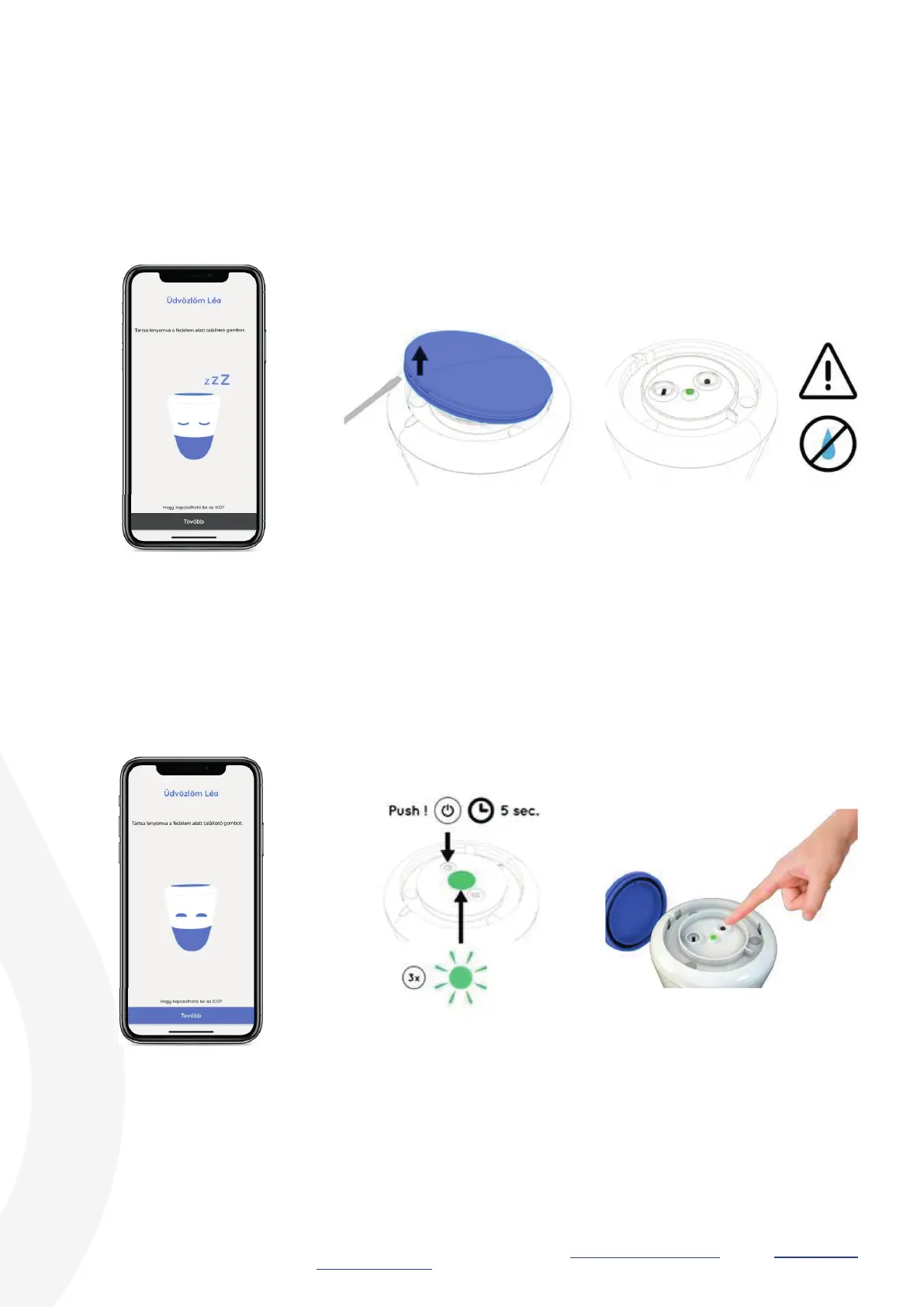
Open the W.I.S. device.
Switch ON the W.I.S. device.
You may also remove the inner protective cover and then push the button.
Use the opening tool to remove
the top lid.
W.I.S. ready.
Be careful! Sensitive area! Make
sure that no drops of water enter
the inside of the W.I.S. device.
W.I.S. ready.


 To Next Page