W9 Manual Page 11 - Revision: 10-06-2023
CONTROL PANEL & OPERATING INSTRUCTIONS
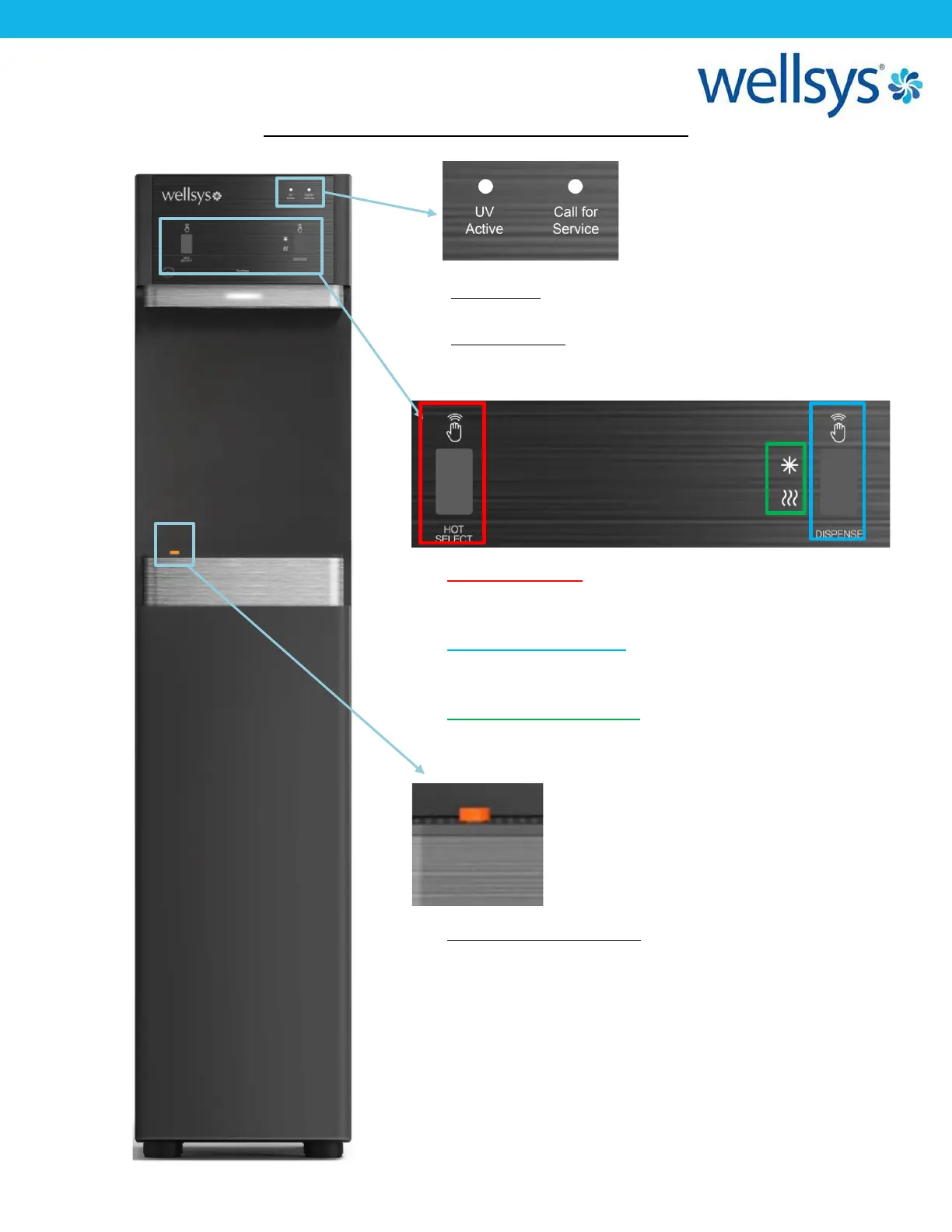
• Hot Select Sensor: The left touch-free sensor is
used to select hot or cold water, activating it will
swap between the two options.
• Water Dispense Sensor
: The right touch-free sensor
can be activated to dispense water at the selected
temperature. (Default selection is cold water).
• Temp Selection Indicator: This LED indicator will
show the current selection of water temperature;
• UV Enabled: This light indicates the units UV lights
are active and working properly.
• Call for Service: This light indicates the filters have
been exhausted and need replacement, or a
possible water supply issue.
• Drip Tray “Full” Indicator: This small float protrudes
from the drip tray grill if the water level rises too
high. An indication that the tray needs to be
emptied.


 To Next Page