POWERDOWN 15MINS
If the unit has not been used it will
automacally turn off aer the pre set
me.
To exit and or store new sengs press ENTER and then CLEAR. You do
not have to go through all the set up.
DURING NORMAL OPERATION THE SET UP BUTTON CAN BE USED TO
ENTER THE TIME AND DATE, UNIT OF MEASURMENT AND TO SET A
TARGET WEIGHT.
A TARGET WEIGHT CAN BE SET BY PUSHING THE INC OR DEC KEYS. THE
WEIGHER WILL ON COMPLETION OF THE WEIGHINGS GIVE A
% EVENNESS FIGURE NOT ONLY AGAINST THE AVERAGE WEIGHT BUT
ALSO AGAINST THE SET TARGET .
OPERATINGINSTRUCTIONS
Turn the weigher on by pressing the ON buon.
To clear data already stored in the weigher press CLEAR, the display will
then ask you to press ENTER aer this the display will then ask you to
confirm by pressing SETUP, to escape press CLEAR. Data will remain in
the memory unl cleared.
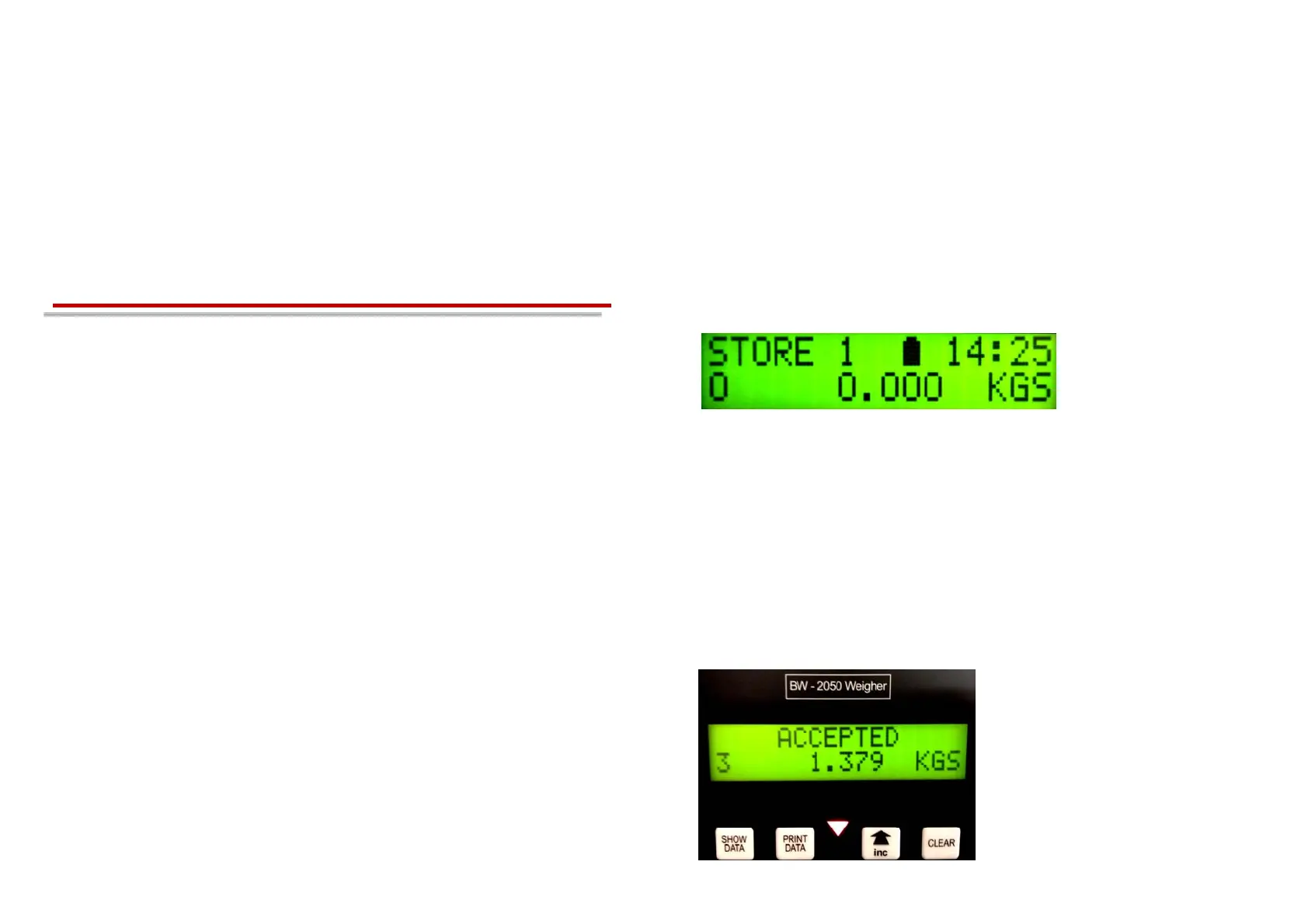
Thedisplaywillthenshow:
STORE1Baerychargeindicator.Time
Select the house the weights are to be stored in by pressing MEMORY
STORE, press the INC or DEC arrow to select the house or pen number.
Press MEMORYSTORE or ENTER, the store number will then be
displayed. Weighing can now begin.
Place a bird into the shackle, when the weight has been accepted the
red triangle will come on and the display will light up (if back light has
been programmed) the display will show ACCEPTED and the weight.
8
9
Baery indicator will flash
when being charged


 To Next Page