EasyManua.ls Logo

Wen PL1303 - User Manual

Wen PL1303
24 pages
Print Icon
To Next Page IconTo Next Page
Loading...
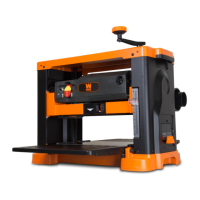
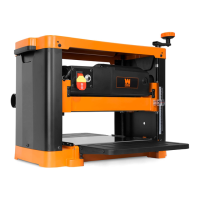
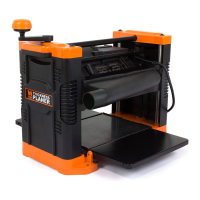
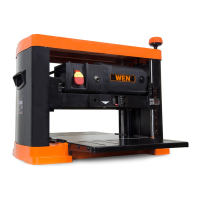
13-INCH PLANER WITH
3-BLADE CUTTERHEAD
Instruction Manual
IMPORTANT: Your new tool has been engineered and manufactured to WEN’s highest standards for dependability,
ease of operation, and operator safety. When properly cared for, this product will supply you years of rugged,
trouble-free performance. Pay close attention to the rules for safe operation, warnings, and cautions. If you use
your tool properly and for its intended purpose, you will enjoy years of safe, reliable service.
NEED HELP? CONTACT US!
Have product questions? Need technical support? Please feel free to contact us:
TECHSUPPORT@WENPRODUCTS.COM1-800-232-1195 (M-F 8AM-5PM CST)
For replacement parts and the most up-to-date instruction manuals, visit WENPRODUCTS.COM
MODEL PL1303

Questions and Answers

  • J
    John VasquezJul 28, 2025
    Why my Wen PL1303 Planer machine does not start?
    • A
      Alison SavageJul 28, 2025
      Your Wen Planer might not be starting due to several reasons. First, ensure the machine is properly plugged into a functioning power outlet. Check the breaker for the associated circuit. If an extension cord is in use, verify it's the correct size. Make sure the safety key is installed. A tripped breaker could also be the cause, so reset it. Finally, worn carbon brushes can prevent the motor from starting, so consider replacing them.
  • M
    Molly PrinceAug 3, 2025
    What to do if my Wen PL1303 Planer circuit breaker keeps tripping?
    • V
      Virginia ThompsonAug 3, 2025
      If the circuit breaker keeps tripping while using your Wen Planer, there are a few potential causes. One possibility is that you're using the wrong size extension cord. Another reason could be dull cutting inserts, so check them and rotate or replace as needed. Also, reduce the depth of cut. If these steps don't resolve the issue, it might be due to an internal motor problem.
  • E
    Elizabeth WilliamsAug 9, 2025
    Why does Wen PL1303 leave marks on the workpiece?
    • L
      Laurie MillerAug 9, 2025
      Marks on your workpiece from the Wen Planer can stem from several issues. Dull cutting inserts are a common cause, so inspect them and rotate or replace them if necessary. An excessive depth of cut can also leave marks, so reduce it. Ensure the workpiece is fed with the grain, not against it. Dirty table or feed rollers can also cause marks, so clean them. Finally, check for any dust or debris between the cutting inserts and the cutterhead, and clean if necessary.
  • S
    Stephanie VegaAug 16, 2025
    How to fix snipe on Wen PL1303?
    • G
      Geoffrey AdamsAug 16, 2025
      Snipe on your Wen Planer can be caused by a few factors. Start by checking the cutting inserts for dullness and rotate or replace them as needed. Ensure the workpiece is properly supported, especially if it's long. Also, make sure that the table or feed rollers are clean. Infeed or outfeed table may be improperly adjusted.
  • E
    Ellen GomezAug 21, 2025
    What to do if Wen PL1303 Planer material does not feed properly?
    • S
      scoxAug 21, 2025
      If the material isn't feeding properly through your Wen Planer, start by checking the cutting inserts and rotate or replace them if they are dull. Also, make sure to clean out the dust chute and always use a dust collection system, as excessive material buildup can hinder feeding.

Summary

Introduction and Specifications

Safety Information and Support

Covers safety symbols, warnings, and contact information for customer support.

General Safety Rules

Work Area Safety

Guidelines for maintaining a safe and organized work environment.

Electrical Safety

Precautions to prevent electric shock during tool operation.

Personal Safety

Operator safety measures, including PPE and alertness.

Power Tool Usage and Care

Service and Warnings

California Proposition 65 Warning

Notice regarding chemicals known to cause cancer or reproductive harm in California.

Planer Safety Warnings

Electrical Information

Grounding and Extension Cords

Instructions for proper grounding and guidelines for selecting and using extension cords.

Unpacking and Parts List

Unpacking Instructions

Steps for safely unpacking the planer and verifying all components are present.

Included Accessories

List of all parts and accessories that come with the planer.

Know Your Planer

Tool Purpose and Components

Overview of the planer's function and identification of its key parts.

Assembly and Adjustments

Attaching Depth Handle and Tables

Steps for attaching the depth handle and preparing the tables.

Adjusting Extension Tables

Guidance on adjusting infeed/outfeed extension tables for alignment.

Attaching Dust Chute

Instructions for connecting the dust chute for dust collection.

Mounting to Work Surface

Instructions for securely mounting the planer to a workbench or stand.

Operation

Controls and Safety Features

Explanation of the on/off switch, lockout, and circuit breaker.

Blade Care and Height Adjustment

Tips to avoid blade damage and how to adjust the cutting height.

Depth of Cut and Depth Stop

Setting the depth of cut and using the depth stop for consistent thickness.

Work Preparation and Snipe Avoidance

Preparing wood and techniques to avoid snipe for a better finish.

Grain Direction and Feeding

Understanding grain direction and safe workpiece feeding procedures.

Maintenance

Replacing Blades

Detailed steps for safely replacing the planer's cutting blades.

Extension Table and Brush Maintenance

Adjusting extension tables and servicing carbon brushes.

Lubrication

Information on lubricating specific moving parts of the planer.

Cleaning the Planer

Procedures for cleaning the planer after use to ensure longevity.

Troubleshooting Guide

Exploded View and Parts List

Warranty Statement

Wen PL1303 Specifications

General IconGeneral
BrandWen
ModelPL1303
CategoryPlaner
LanguageEnglish

Related product manuals