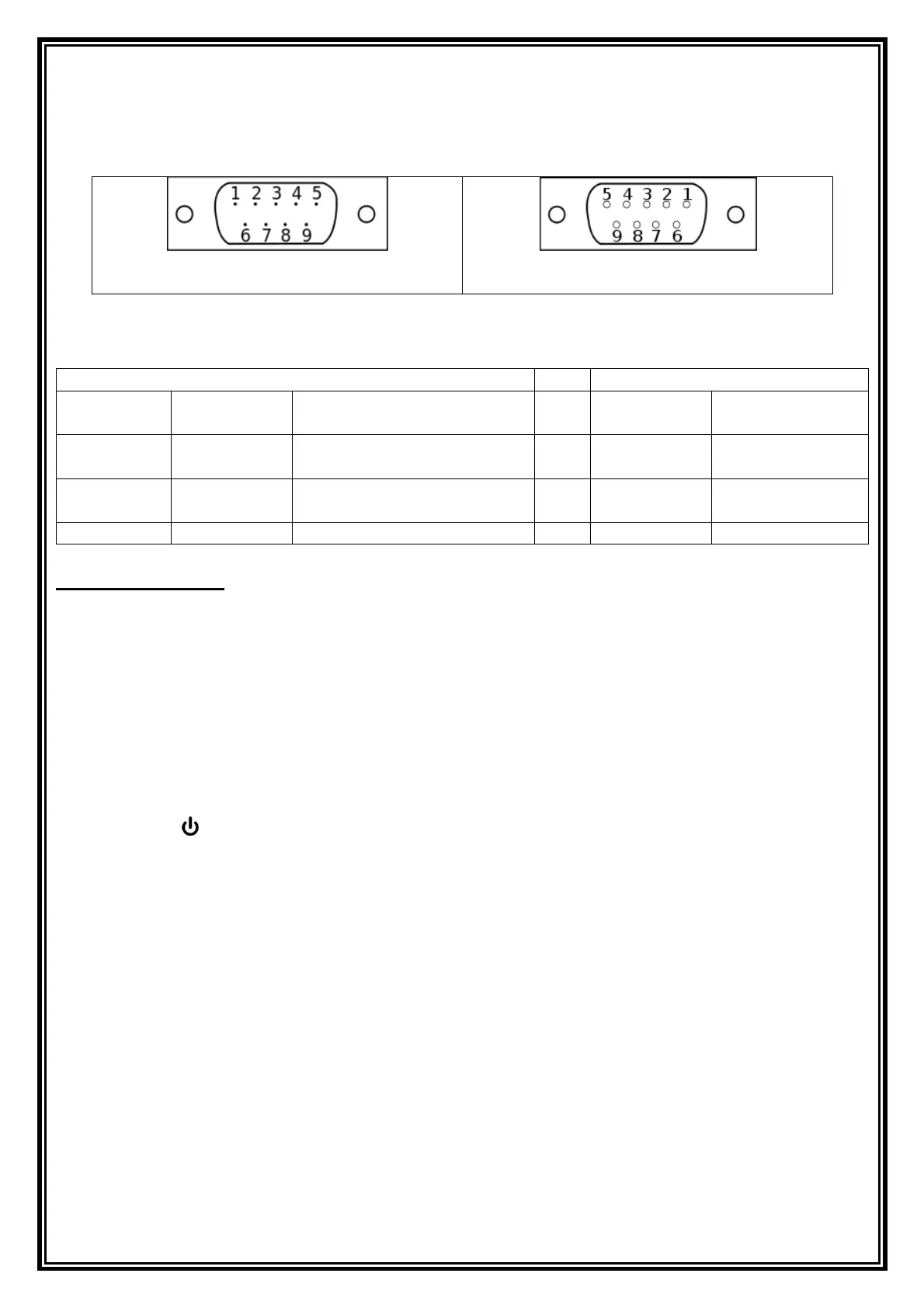
Application Example:
If the setting is C3---2, C4---27 (default setting), the codes shown in VB as following:
MSComm1.Settings = "600,n,8,1"
MSComm1.Output = Chr(&H1B) + Chr(&H70) ’sent a print commando
’or MSComm1.Output = Chr(27) + Chr(112)
’or MSComm1.Output =Chr(27) +"p"
Do
DoE vents
Loop Until MSComm1.InBufferCount = 14
a = MSComm1.Input
Print a
10 Configuration &Explain of the function setting
The settings of the balance can be changed in the setting menu. This way, the balance can be adjusted to
individual weighing requirements. By the factory the user menu has been set in a way that normally no more
changes must be made, only at special conditions of use.
Overview:
In the off state press the [CAL] button and keep it pressed, press the [] button turn on the balance. Now the
balance is accessed to the setting menu. Using the [CAL] button the individual menu items (C1-C4) can be
selected one after the other. Press the [TARE] button to change the setting value. After all points have been
configured, press [CAL] button returns the balance automatically into weighing mode.
a) C1 = sensitivity setting -values: 0 1 2 3 4 5
The higher the value, the lower the sensitivity and higher stability.
Filter 0: Setting for dispensing.


 To Next Page