10
Step 1: Wiring and switching on
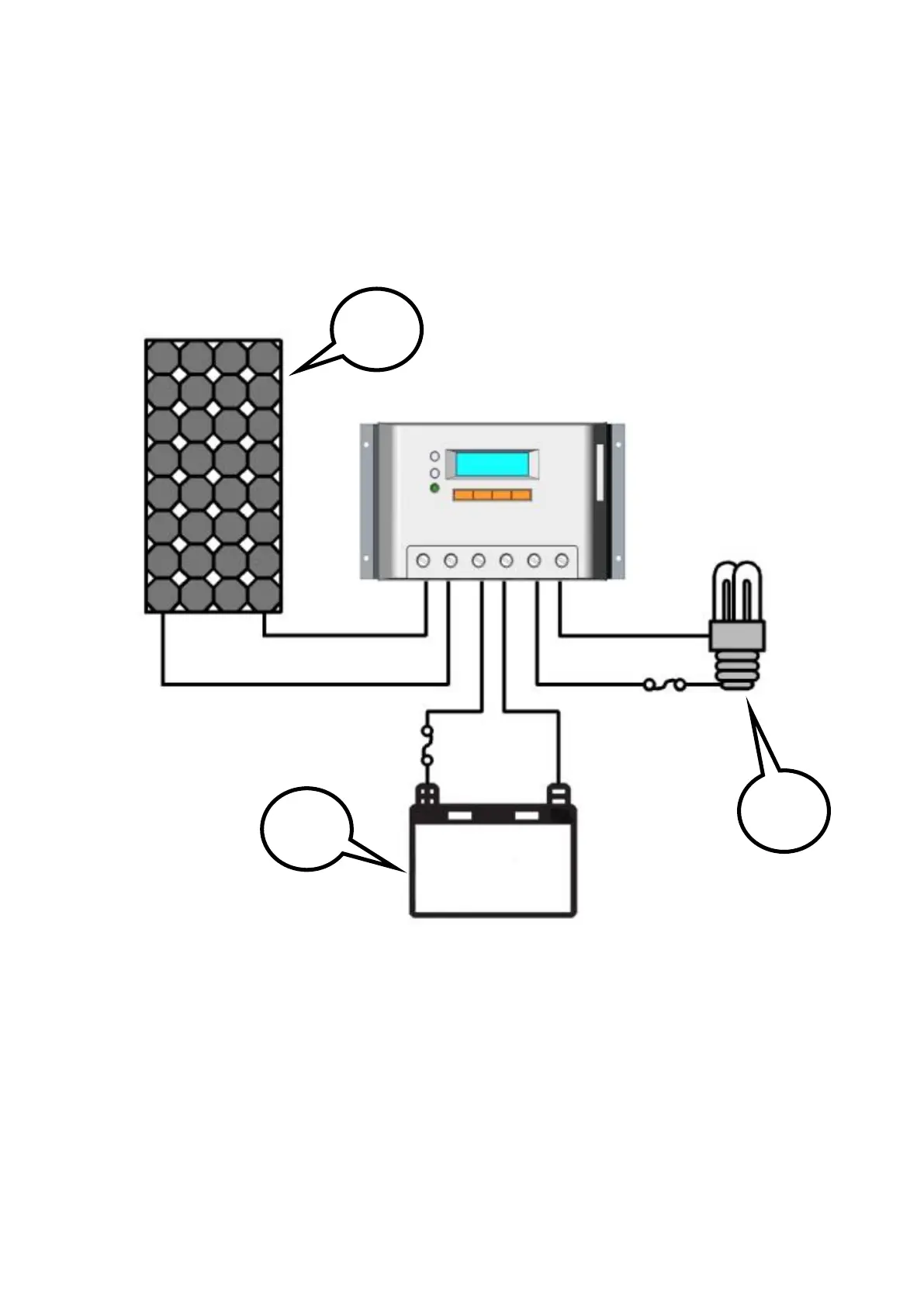
After solar system is wired, check carefully all wirings so as to make it clear whether all 6
terminals are correctly connected and tightened. According to the order of switching on in
the chart, battery first, loads second and solar module third successively to avoid nominal
system voltage identification error.
Step 2: Confirming power on
When controller starts up, liquid crystal display (LCD) displays initialization interface
and 2 indicator lamps will be lightened once, check if it is correct. If there are no above
procedures, refer to section 5 for troubleshooting.


 To Next Page