19
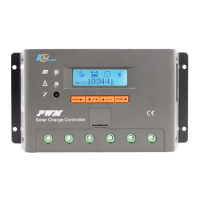
▼ System status
Press and enter into the following interface which indicates system status.
PV status:
Connect Disconnect Measure Err
Over Current MOS-I Short MOS-C Short
MOS Break
BATT status:
Equalize Boost Float
NoCharge LVD UVW
Normal OVD Error
OverTemp
LOAD status:
On Off OverLoad
Short Error MOS Short
DEVICE status:
Normal OverTemp
﹡
When fault with inverse cursor appears, if the fault still exists 2 minutes after no
button-pressing operation, it is automatically skipped into this page.


 To Next Page