DIGITAL WEIGHING SYSTEM
5
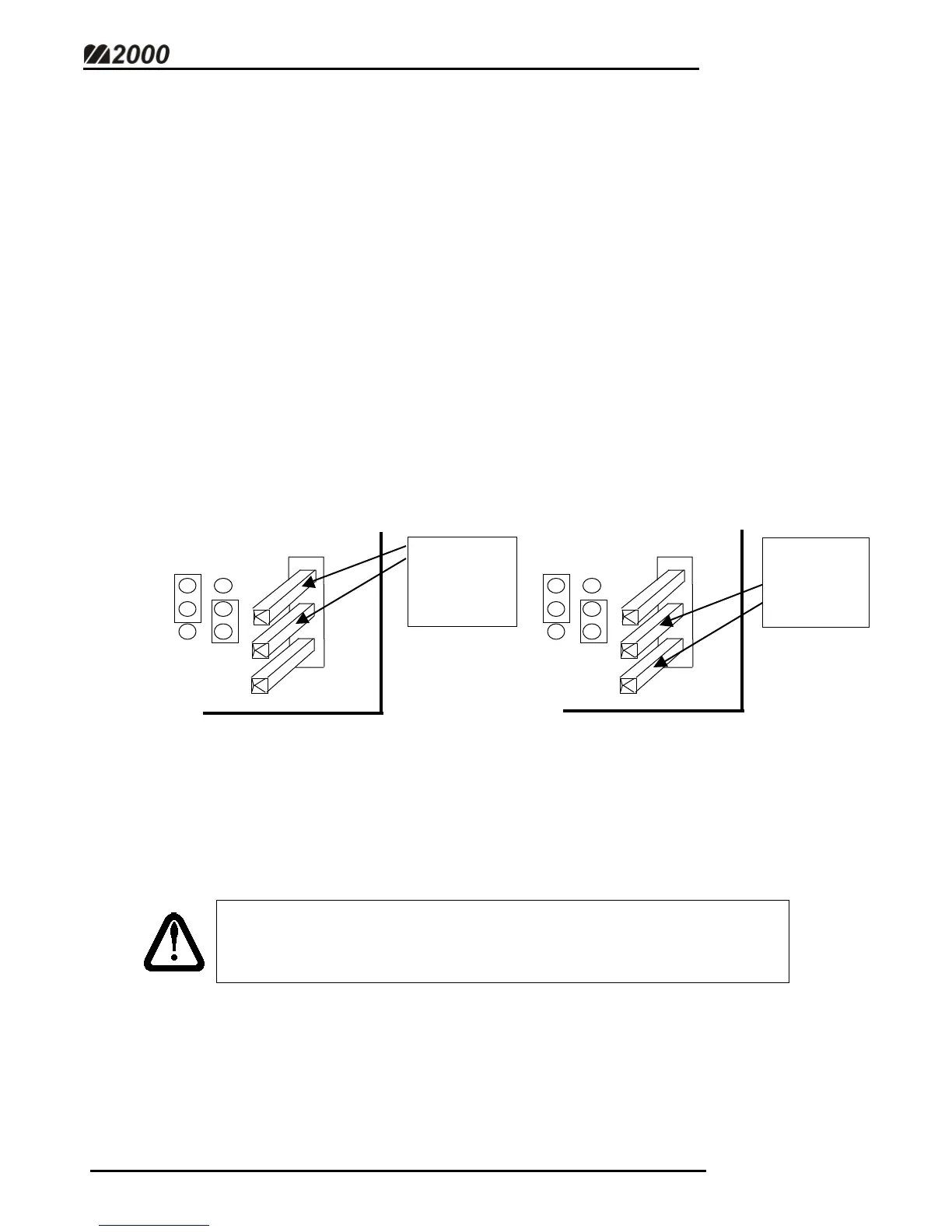
SETTING THE DLC ID JUMPER
When using two DLC Smart Boxes, the M2000D indicator needs to differentiate
between the Primary and Secondary modules. An ID switch must be set via
the ID jumpers in the bottom right hand corner of each module. For
systems utilizing only one DLC Smart Box, the jumpers must be in the “Primary”
position.
• It is extremely important to note which module is the PRIMARY DLC as it
ALWAYS identifies the first section of the scale.
• There cannot be two primary (or two secondary) DLC Smart boxes.
Setting the switches properly is crucial for the system to function.
ID select
JP 1
PRIM
SEC
ID select
JP 1
PRIM
SEC
JUMPER
THESE TWO
PINS FOR
PRIMARY
DLC
JUMPER
THESE TWO
PINS FOR
SECONDARY
DLC
NOTE: If changing the DLC ID jumper after the initial scale setup,
the indicator must be in Calibration Mode as jumper settings are
stored with Calibration data.
(Fig. 3)



 To Next Page