51
Machine control board, Software
704 67 020 00 _ 111
OPERATING INSTRUCTIONSGF Robimat XL / XM
INSTALLING MODE
←L SEL. M→ :E
CHECK
←L SEL. M→ :E
7
E
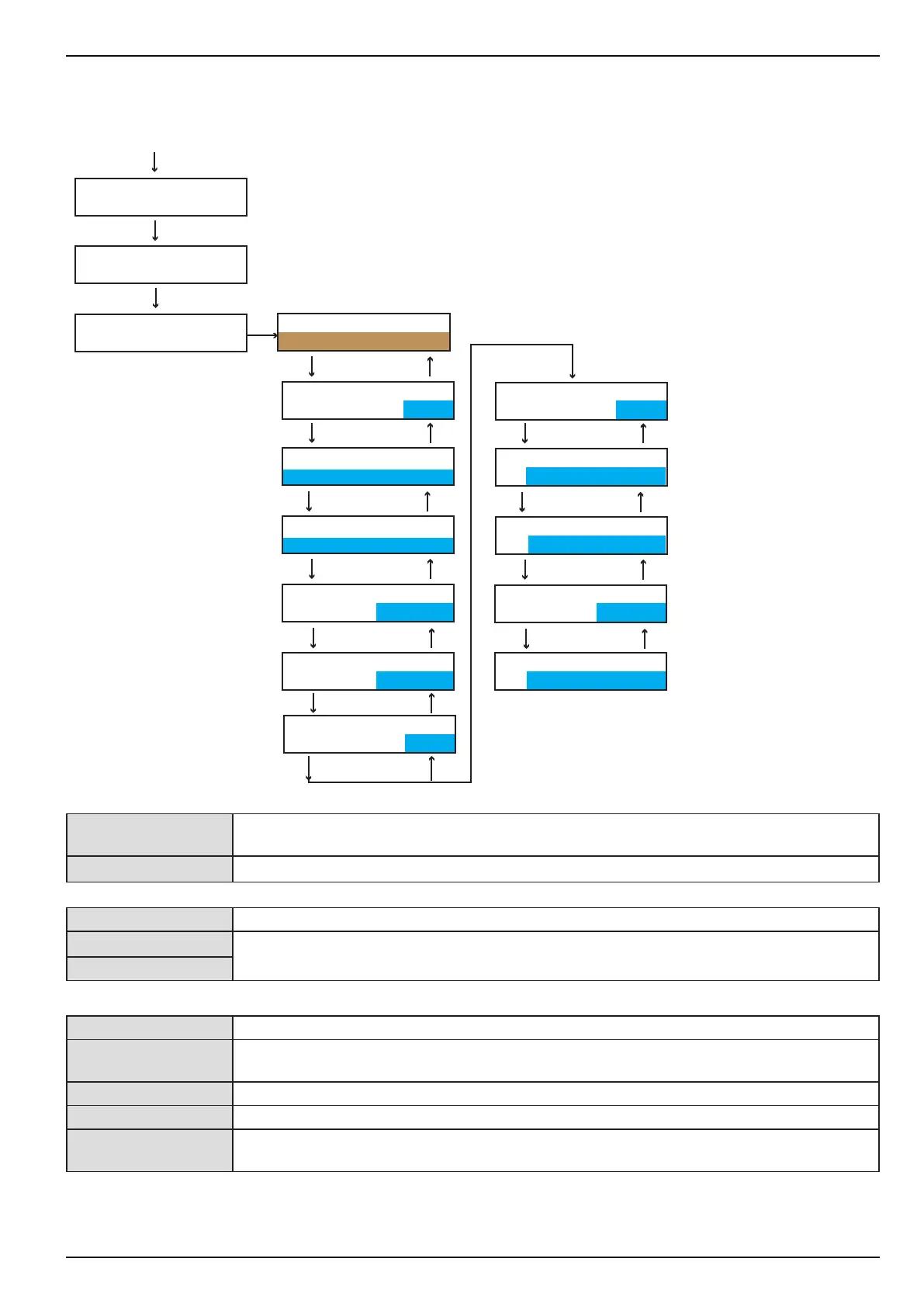
INSTALLING MODE
> MACHINE
CREDIT SYSTEM(1)
MDB
CREDIT CONF(1)
AUTO CONFIG.
VEND.MODE(1)
NO CHG + SINGLE
ESCROW AUTOM.
off
HAPPY HOUR
off
INSTALLING MODE
> CREDIT SYSTEM
E
L
E
L
E
L
E
L
PRESEL.TIME
in sec.: 0 S
E
L
CLEAR CREDIT
after 180s
CHANGE BLOCKED
at 255 coins
EXEC VEND RETRY
0 STATUS CMDS
CASH SALE
MDB 42
CORRECT CHANGE
auto
M
E
L
E
L
E
L
E
L
E
L
[CREDIT SYSTEM(1)] [Free Vend] - [BDV] - [Executive] - [BDV dual] - [MDB] - [Key system] - [MDB+EXEC] -
[MDB+BDV]
[MDB] (default) The communication protocol is set here.
[CREDIT CONFIG(1)]
[AUTO CONFIG.] Setting the conguration for the coin mechanism automatically or manually.
Some of the following elds appear only if you enter [MAN.CONFIG.] here.
[MAN.CONFIG.]
[VEND.MODE(1)] Setting the required vend mode
[NO CHG + SINGLE] Compulsory purchase: After a coin has been inserted, at least one product must be
purchased before coins are refunded.
[NO CHG + MULTI] No change/multi vend
[CHANGE + SINGLE] In the case of over-payment refunding is automatic following product selection.
[CHANGE + MULTI] Refund: No product has to be purchased; coins are refunded if the process is aborted. With
this setting the machine may be misused as a coin changer.



 To Next Page