57
Machine control board, Software
704 67 020 00 _ 111
OPERATING INSTRUCTIONSGF Robimat XL / XM
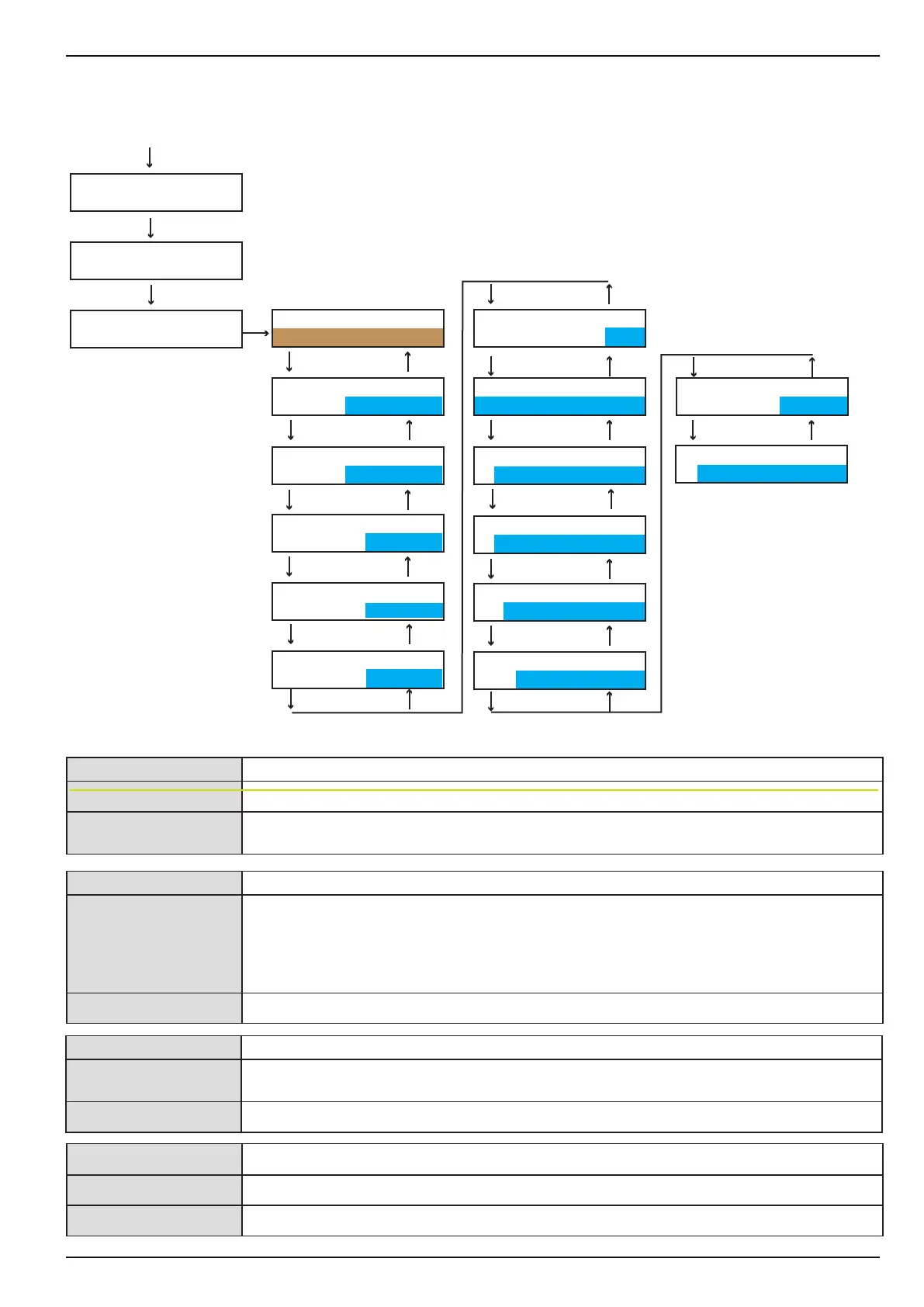
Settings in this sub-menu are only valid if a cashless credit system is tted.
[ALWAYS IDLE] For contactless card readers
[o] Pre-selection of a product using contactless card readers is possible.
[on] The card must be held against the contactless card reader at the same time as the product
selection is being made.
[PRICE LISTS] This function depends on the card reader being used.
[on] Two dierent prices for one selection can be entered here. The two prices are set in
the[PROGRAMMING MODE] menu.
In addition this function can be used for price lines in BDV/Executive. With this function the
prices are stored in the coin mechanism and the price line corresponding to the selection
must be programmed on the control board.
[o] Price lists are disabled.
INSTALLING MODE
←L SEL. M→ :E
INSTALLING MODE
> MACHINE
CARD REMOVAL
after vend
CHECK
←L SEL. M→ :E
M
7
E L
E L
E L
E L
E L
E L
4xM
E
PRICE LISTS
off
REVALUE
on
MIXED PAYM.
off
P.LIST / READER
L1+L2 -> all
MIXED PAYM.PRICE
cashless price
MDB-comp.mode
b.practice
REFUND FAILURE
credit lost
MDB ITEM NUMBERS
hex value
ALWAYS IDLE
off
E L
E L
E L
E L
EVA/DTS SEL.No.
starts with 1
CASH SALE
MDB42
E L
INSTALLING MODE
> CARD READER
E L
E L
MDB KARTE 2
ein
[REVALUE This function depends on the card reader in use.
[on] The amount inserted is credited onto the card. In this case the card must be inserted before
the money.
[o] The value of the coins inserted is not credited onto the card.
[MIXED PAYM.]
[on] Mixed payment, e. g. with coins and card, is possible.
[o] Mixed payment is not possible.



 To Next Page