Bluetooth Cable is Not Charging:
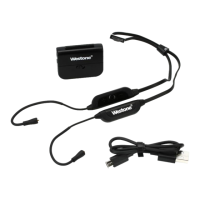
• Ensure that the USB charging cable is securely
inserted into both the portable charging dock
and the charging device.
• Ensure that the Bluetooth cable in securely seated
into the portable charging dock, and that no foreign
material is preventing a secure connection between
battery module and the charging prongs.
• Plug the USB side of the USB charging cable into
a 120v wall adapter (sold separately).
• If the cable has been exposed to extremely high or
low temperatures, allow the cable to return to normal
room temperature before trying to charge again.
TROUBLESHOOTING (cont’d)
BATTERY WARNING:
This device contains an internal, rechargeable
battery that is not replaceable. Battery life
can vary with usage. Mistreated rechargeable
batteries may present a risk of fire or chemical
burn. Do not use the product if the battery
module appears to be leaking, is discolored, or
deformed in anyway. Non-operational product
should be disposed of according to local laws,
if no such laws exist in your area dispose of the
product in a waste bin designated for electronics.


 To Next Page