EasyManua.ls Logo

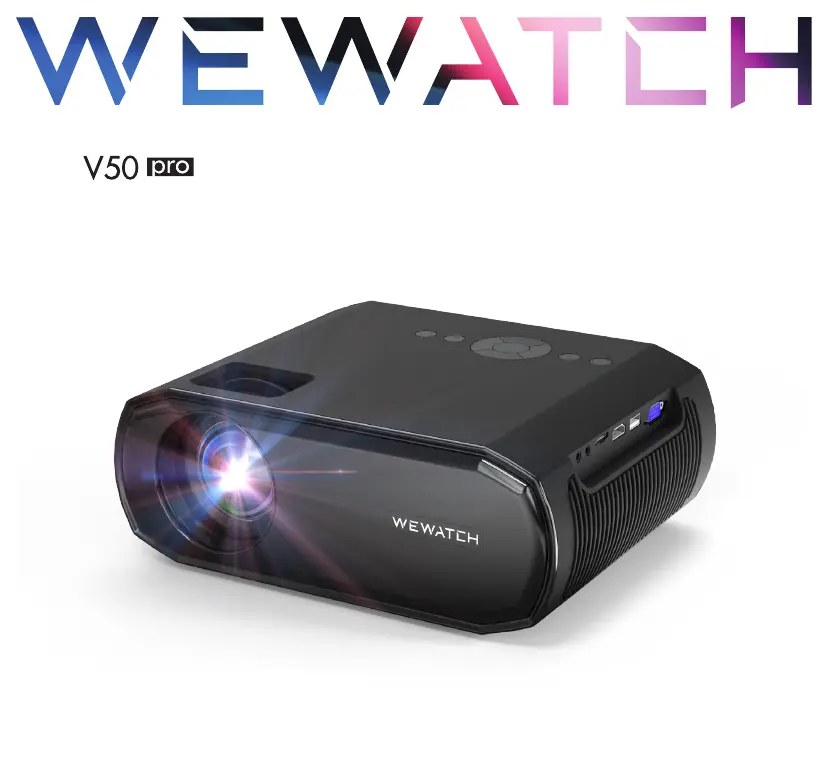
WEWATCH V50 Pro - User Manual

WEWATCH V50 Pro
76 pages
Print Icon
To Next Page IconTo Next Page
Loading...
PROJECTOR
User Manual

Questions and Answers

Summary

SAFETY INSTRUCTIONS

Setup

Safety guidelines for setting up the projector, covering placement and environmental conditions.

Power Supply

Precautions for using the power cable and supply, including protection and handling.

Hearing Safety

Advice on listening volume to prevent hearing damage during extended use.

Cleaning

Proper methods and materials for cleaning the projector's exterior and lens.

Repairs

Instructions for device repair, emphasizing authorized service centers.

PACKAGE LISTS

PRODUCT OVERVIEW

Operation Panel

Connection Ports

Remote

GETTING START

Placement

Recommended placement of the projector for optimal viewing distance and screen size.

Installing the Projector

Instructions on mounting the projector on a tripod, ceiling, or wall.

Correcting Keystone

How to adjust keystone distortion for a rectangular projected image.

Adjusting Image Clarity

Steps to focus the projector for a sharp and clear image.

How to Clean Black Spot

SETTINGS

Bluetooth

Instructions for connecting the projector to Bluetooth devices like speakers or headphones.

Network

How to connect the projector to a wireless (WiFi) network for internet access.

Projector Setting

Configuration options for picture mode, color temperature, noise reduction, and sound mode.

Others

Settings for OSD language, aspect ratio, and projection mode.

WIRELESS CONNECTION

iOS AP Mirroring

Steps to mirror iPhone/iPad screen using AP mode when WiFi is unavailable.

iOS WiFi Mirroring

Steps to mirror iPhone/iPad and MacBook screens via home WiFi.

Android Mirroring

SPECIFICATIONS

TROUBLESHOOTING

Cannot play streaming media app

Addresses issues with streaming apps like Netflix and Prime Video, suggesting HDMI connection.

Remote control doesnt work

Troubleshooting steps for a non-functional remote control, including battery checks.

Picture is playing, no sound

Solutions for missing audio during playback, including format and volume checks.

Cannot find device when connected with flash drive or hard drive

Helps resolve issues with connecting storage devices, checking file system and capacity.

Projection picture has dust and black spots

Guides on cleaning dust and spots from the projector lens and screen.

CONTACT US

WEWATCH V50 Pro Specifications

General IconGeneral
Resolution1920 x 1080
Lamp Life30, 000 hours
Display TechnologyLCD
ConnectivityHDMI, USB, AV, Audio Out
AudioBuilt-in Speaker
Supported Resolutions480p, 720p, 1080p
Throw Distance1.5-5 meters
Aspect Ratio16:9
Keystone CorrectionManual ±15°