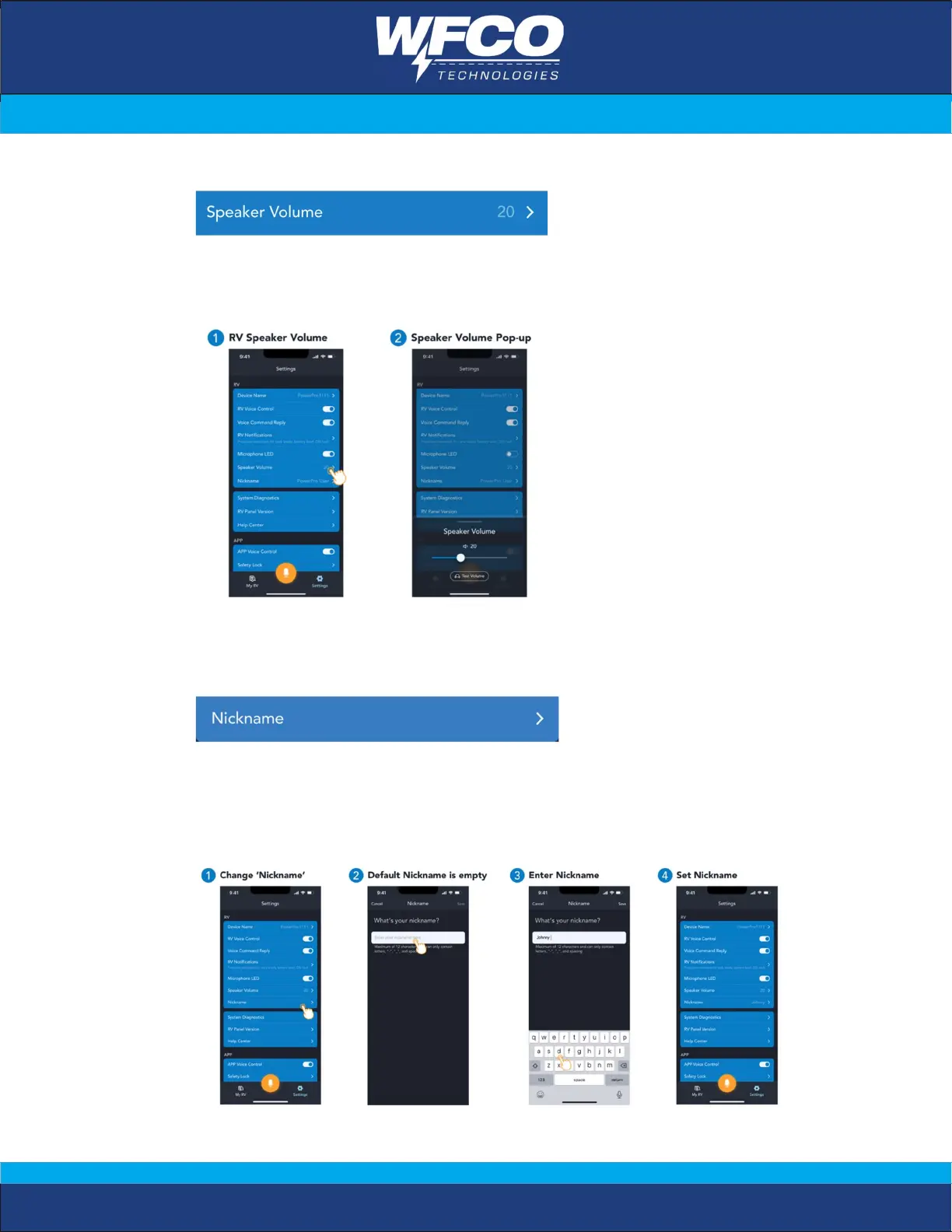
f. Speaker Volume Setting
Users can set the speaker volume from mute to maximum volume.
User can use the ‘Test volume’ button to confirm the volume effect.
g. Nickname Setting
Users can set the nickname and RV panel will reply accordingly.
This setting is optional. Default is empty.
User can set their name (maximum 12 alphabets including space, “-“& “_” as
separator) so that when the control panel replies to user for certain voice
commands, the user name will be included in the voice greeting messages.


 To Next Page