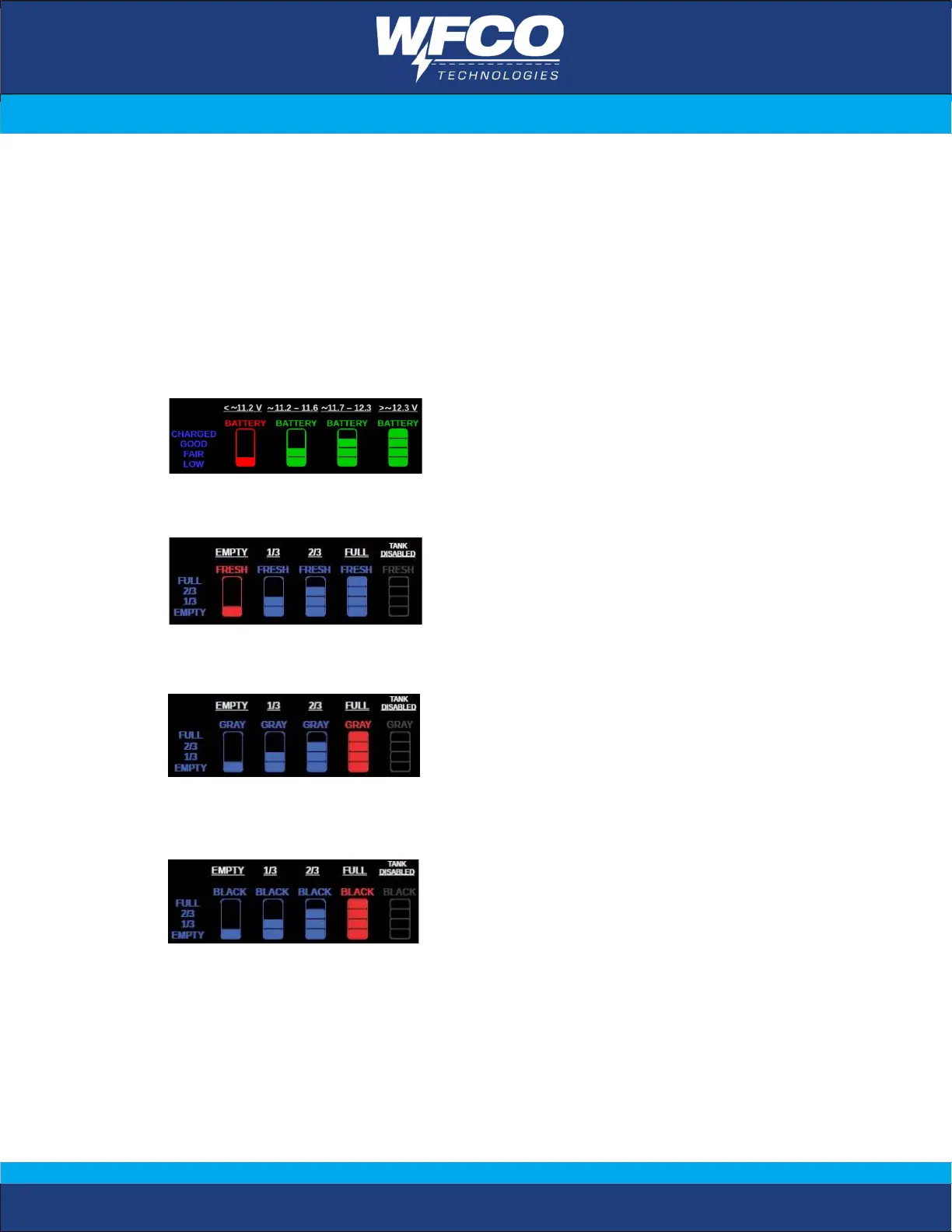
1. Device Status Display:
The status of the following devices can be checked by user:
- Battery Level (voltage)
- Water tank level: Fresh, Gray or Black water
The LED indicators of MIC light and OTA display the status of Voice Control and OTA
functions, please refer to Voice Control and APP Control sections in this manual.
Battery Level
Fresh Tank level
Gray Tank level
Black Tank level


 To Next Page