11
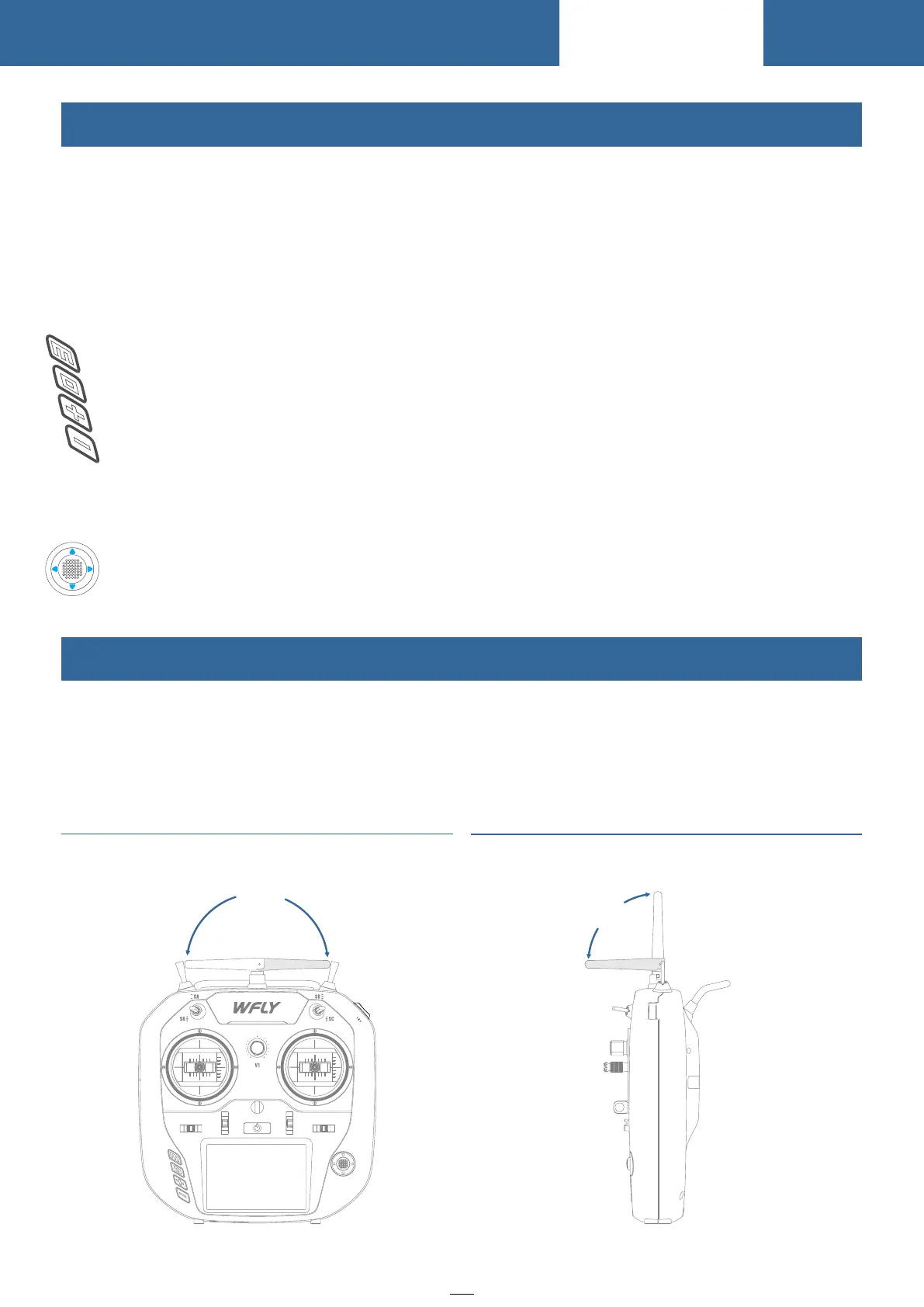
The Travel Of Antenna Direction Adjustment
Switch Configuration And Types
Power switch:Click and hold for about 2 seconds to open/shut down
T1-T4:Trim key(User defined function)
SA:Short lever 2 positions (User defined function)
SB:Long lever 2 positions (User defined function)
SD:Short lever 3 positions (User defined function)
SD:Long lever 2 positions reset (User defined function)
SE:3 Speed switch (user-defined)
V1:Rotary knob (User defined)
HOME:Function key,slightly click to return to standby interface,click and hold for 2
seconds to turn on the monitor interface.
EXIT : Return key,slightly return to the superior interface;
Screen locking state : Press EXIT key for 2 seconds to toggle,
Advanced Lock state : Press EXIT key ten times, and then press it for 2 seconds to unlock.
+: Increase key,parameter increment,switch status
-: Decrease key,parameter decrement,switch status
Up/down/left/right:Direction key
Middle:Slightly click to confirm,press and hold to reset parameters(value)
Front and up movement 180°
The antenna activity of the transmitter is limited by the stroke. If the activity is exceeded, the antenna will
be damaged.
The active travel indication of the antenna is as following:
Left and right movement 180°
Before Use
9
0
°
180
°
SE
ET10



 To Next Page