32
“EXIT”2秒,解锁。
Screen Lock
When the transmitter operates the device in the
field, the user needs to use the lock screen
function according to the actual needs. In order
to prevent accidental touch, the screen can be
locked
Enter the interface:
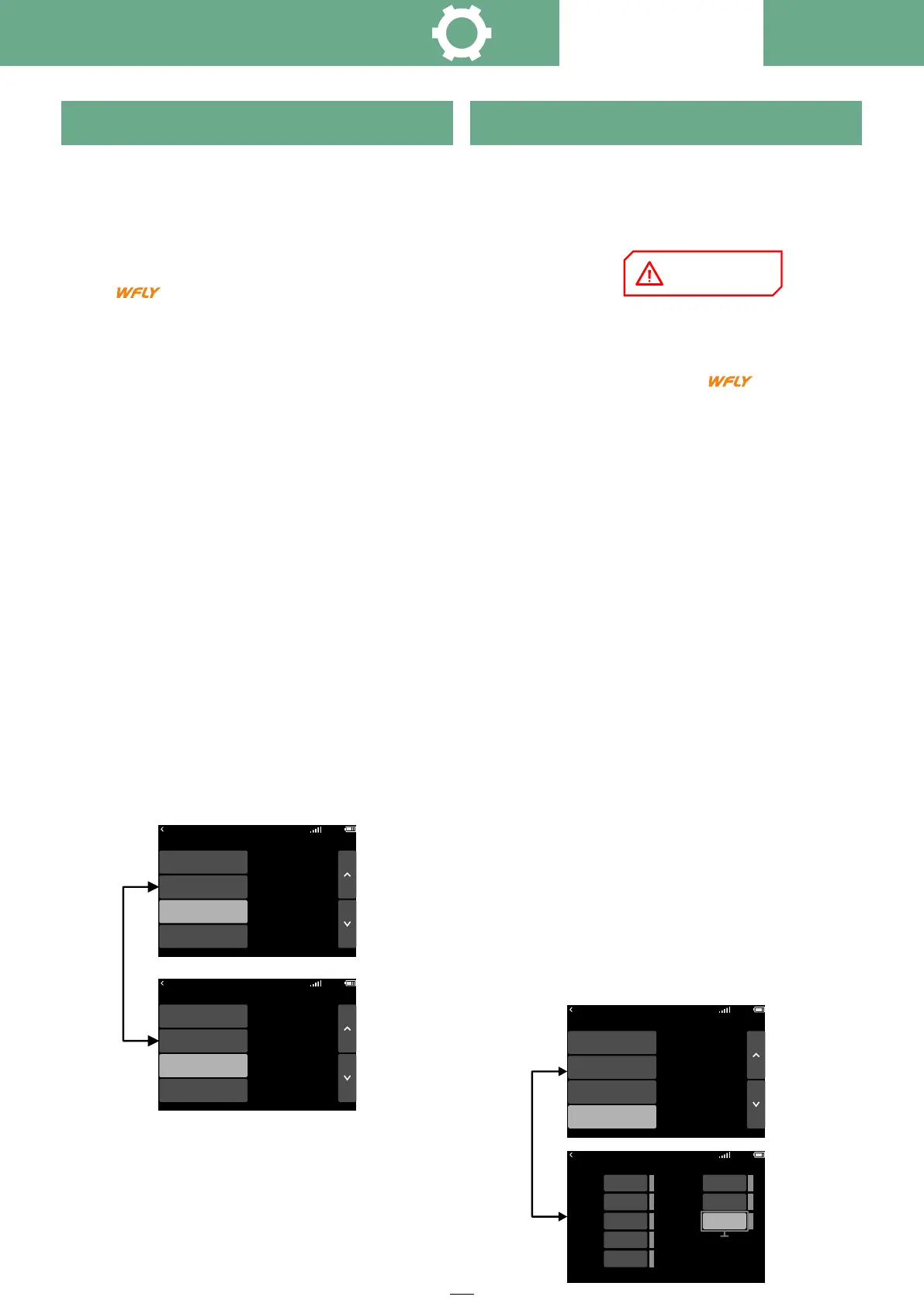
Click on the standby interface →
System setting → Screen lock
Setting method:
Button -- Press the five-way arrow key to select
the focus area "Screen lock";
Press the five-way confirmation key to switch
between "Screen Lock" and "Advanced Lock".
Touch screen -- Click "Focus area", toggle
"Screen Lock", "Advanced Lock".
1. Screen Lock:
① Lock: Long press EXIT for 2 seconds to lock
the touch mode function.
② Unlock: Hold down EXIT for 2 seconds to
unlock the screen.
2. Advanced lock screen:
① Lock: Long press the "EXIT" button for 2
seconds, locking includes, trim,
HOME menu key, plus and minus keys, five-
way key
The user sets "Startup warning" according to
the actual situation to avoid the cause When the
transmitter is powered on, some functions are
enabled and users do not pay attention to
them,this may cause equipment damage or
personal safety.
To enter the interface:
On the Standby screen, go to →
System setting→ Startup warning
Setting method:
Button -- press the five-way arrow key and
select "Startup Warning"; Press the minus key
select the status,and press the five-way
confirmation key to enable/disable. Select
switch, knob, throttle, press the five-way
confirmation key, read the position, as the boot
does not alarm position, long press the five-way
confirmation key, disable warning.
Touch screen -- click and select "Startup
warning"; Click Status to enable/disable. Click
and select "focus area" to read, switch, knob,
throttle position, as the startup does not alarm
position, long press "focus area" to disable.
1. Starting throttle rocker position alarm:
① When the throttle lever is not at the lowest
point, the buzzer will alarm until the throttle lever
is at the lowest point.
② When a prompt is displayed on the warning
screen, press "OK" or swing the accelerator to
the lowest position to start the machine.
2.Switch position alarm: the switch position is
not in the default position when
startingPosition, the alarm interface will appear
(display the corresponding switch),The
interface disappears when all switches are in
the default gear.
Boot Warning
Throttle warning
Do not disable unless necessary
System Setting
00:06:59
00:06:60
System Setting
Unit
Boo Warning
Advanced Lock
00:06:59
00:06:60
Information
System Setting
Unit
Boo Warning
Screen Lock
00:06:59
00:06:60
Information
System Setting
Unit
Screen Lock
Boo Warning
Information
Status
ThrottIe
SA
V1
SB SE
SC
SD
ON
00:06:59
Boot Warning
INH
-100
-100
-100
-100
-100
INH
Click to read the value
Press and hold to disable



 To Next Page