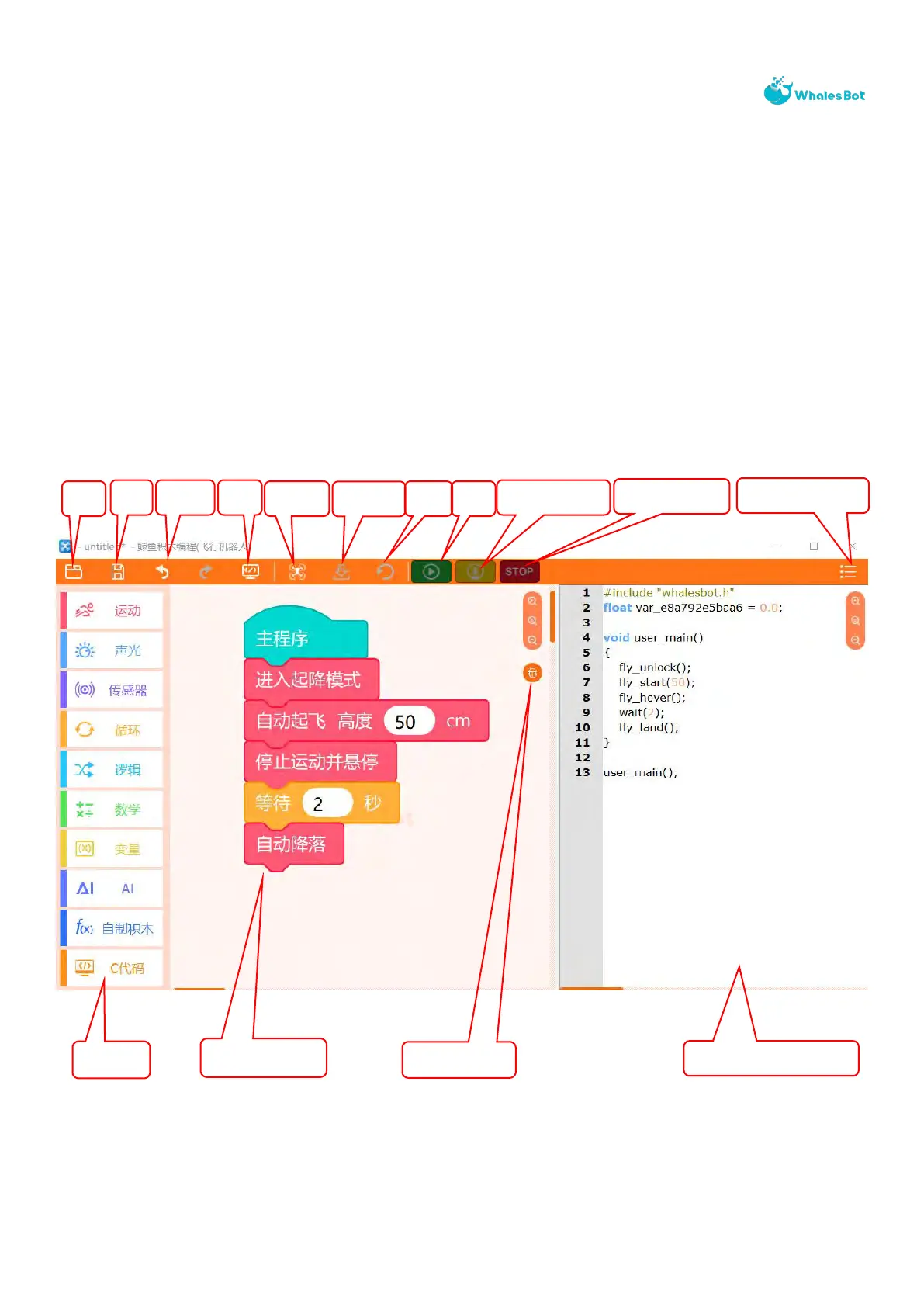
Ⅳ. UI introduction
As shown below, the module library is on the left, the program editing page is in the middle, and
the C++ display area is on the right. This area is not displayed by default, and whether it is
displayed is controlled through the code menu. The content displayed in this column is
automatically generated by the module program and cannot be changed. If you need to change
it, you can switch to the C ++ page to learn the C++ structure and read the parameters of each
module.



 To Next Page