8
3
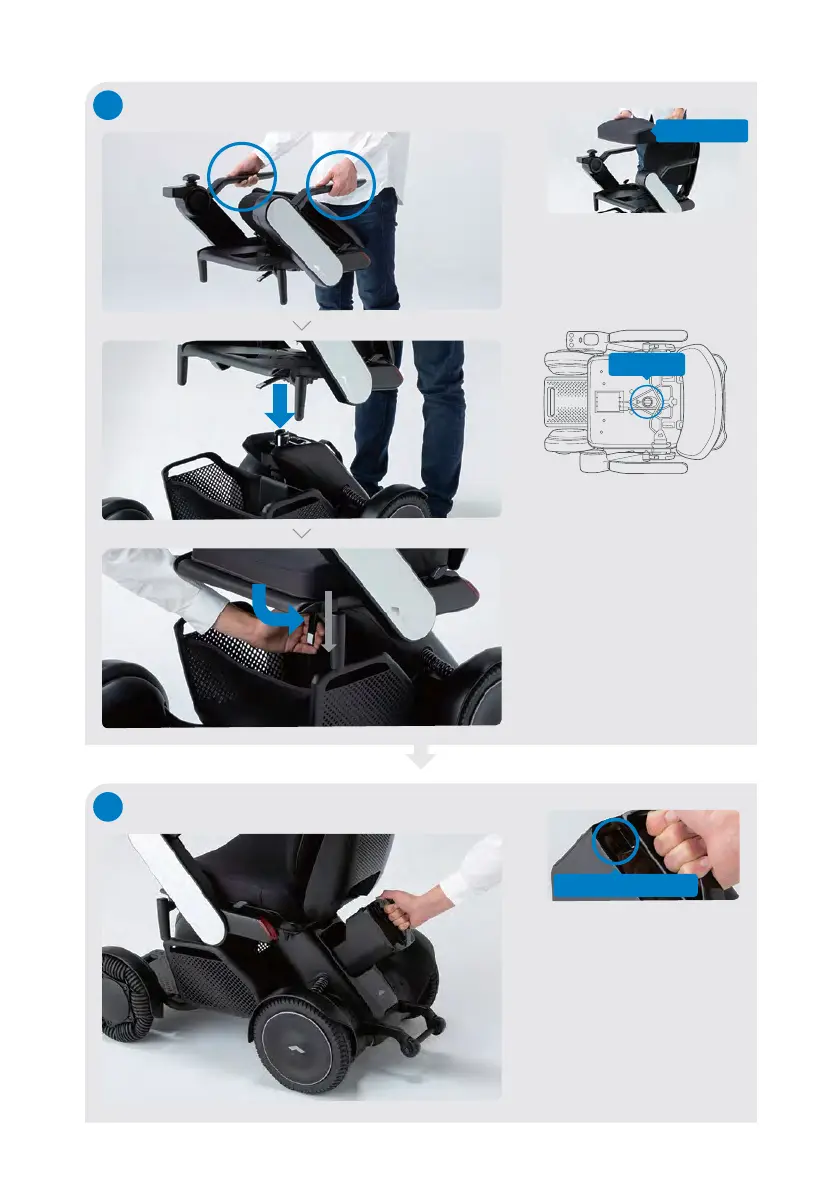
Installing the seat assembly
Remove the seat cushion,
grab the arm rests, and
lift the seat assembly.
Use the view hole to align
and position the seat
assembly onto the seat
post.
Push down the seat
release lever into the
vertical position, and
attach the cushion back to
a seat base.
Seat cushion
4
Installing the battery
Ensure that the battery
lock release button is not
pressed. Grab the battery
handle and insert the
battery into the battery
compartment.
If experiencing difficulty,
push the battery with
more force.
Lock release button
View hole


 To Next Page