EasyManua.ls Logo

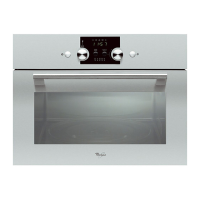
Whirlpool ACM 226 - User Manual

Whirlpool ACM 226
163 pages
Print Icon
To Next Page IconTo Next Page
Loading...
ACM 226

Table of Contents

Questions and Answers

  • J
    Jennifer Pierce MDJul 31, 2025
    Why is my Whirlpool Oven not heating up?
    • J
      Joan KingJul 31, 2025
      If your Whirlpool Oven isn't heating, there might be a few reasons: 1. **Function and Temperature Settings**: Ensure that you have correctly set both the function and the temperature using the appropriate knob or key. 2. **Timer Setting**: If your model has a timer, make sure it is properly adjusted. Note that in products with a microwave oven, the timer controls only the microwave oven. 3. **Power Supply**: Verify that the oven is receiving power. Check the fuses in the fuse box and replace or reset them if necessary.
  • C
    Christopher AcostaAug 15, 2025
    What to do if clock is blinking on Whirlpool ACM 226?
    • A
      Andrew HolmesAug 15, 2025
      If the clock display on your Whirlpool Oven (in models with a timer) is blinking or the clock symbol is on, it indicates a previous power outage. To fix this, adjust the timer or switch the product off and then on again.

Summary

Important Safety Instructions

General Safety

Essential guidelines for safe operation and handling of the appliance to prevent injury and damage.

Safety for Children

Specific precautions to protect children from potential hazards associated with the appliance's use.

Electrical Safety

Critical safety measures for electrical connections and usage to prevent shocks and fires.

Installation

Before Installation

Precautions and checks required before proceeding with the appliance's installation, including air gaps and floor support.

Installation and Connection

Step-by-step guidance for physically installing and connecting the appliance according to regulations.

Connecting the Power Cable

Instructions for safely connecting the appliance to the electrical power supply, including grounding.

Operating the Oven

Temperature and Mode Selection

How to select the desired temperature and operating mode for the oven.

Top and Bottom Heating

Explanation of the oven's top and bottom heating mode and its uses.

Bottom Heating Mode

Explanation of the oven's bottom heating mode and its suitability for specific dishes.

Fan Supported Heating

Details on the fan-assisted heating mode for even heat distribution.

Fan Operation Mode

How to use the fan-only mode for thawing or cooling food.

Fan Heating Mode

Explanation of the fan heating mode for multi-level cooking.

Full Grill Function

Guide to using the oven's full grill function for large quantities of food.

Grill with Fan Function

Instructions for using the combined grill and fan function.

Booster Function

Information on using the rapid heating function for preheating the oven.

Using the Oven Clock

How to set and use the oven's clock for timing cooking processes.

Operating the Grill

Switching On the Grill

Guide to activating the grill function and selecting temperature.

Switching Off the Grill

Instructions for safely turning off the grill function.

Troubleshooting

Product Not Operating

Solutions for when the appliance fails to power on or function.

Control Panel Unresponsive

Troubleshooting steps for when buttons or knobs on the control panel do not work.

Oven Not Heating

Troubleshooting steps for when the oven fails to reach the set temperature.

Whirlpool ACM 226 Specifications

General IconGeneral
Oven typeElectric
Energy efficiency classA
Number of Cooking Levels4
ThermostatYes
Voltage220-240 V
MaterialStainless steel
LightYes
Width595 mm
Height595 mm
Frequency50 Hz
Depth564 mm

Related product manuals