41
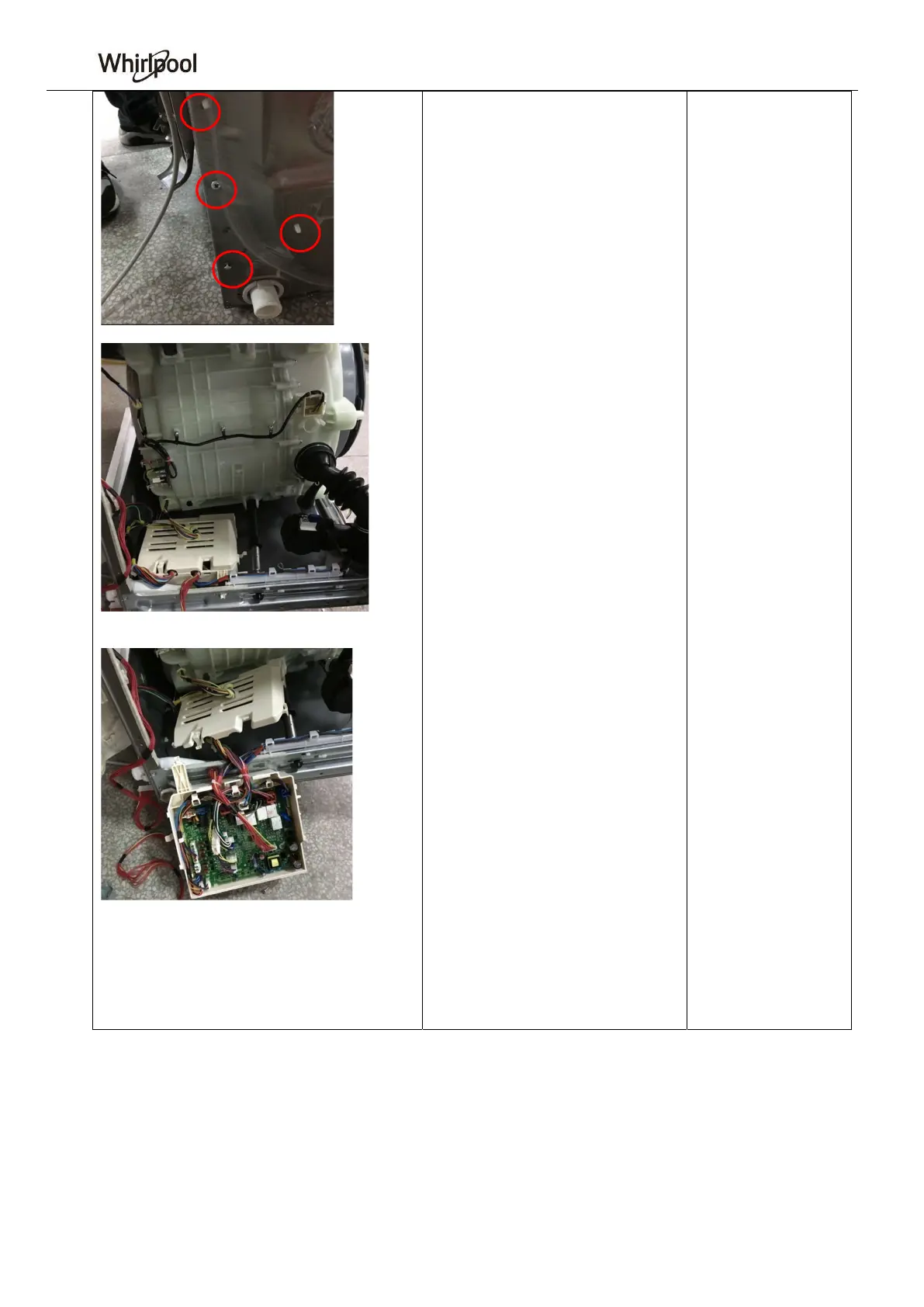
15. Main control panel box
A Remove the 2 fastening screws that
connect the main control panel box to
the cabinet and remove the 2
expansion pin ties.
B Tilt the washing machine to the
right (as viewed from the front). Push
the snap of the main control panel and
the base seat to the right to take off the
main control plate.
C Pry and open the snaps around the
main control panel box. Open the box.




 To Next Page