19
U sing Your Oven
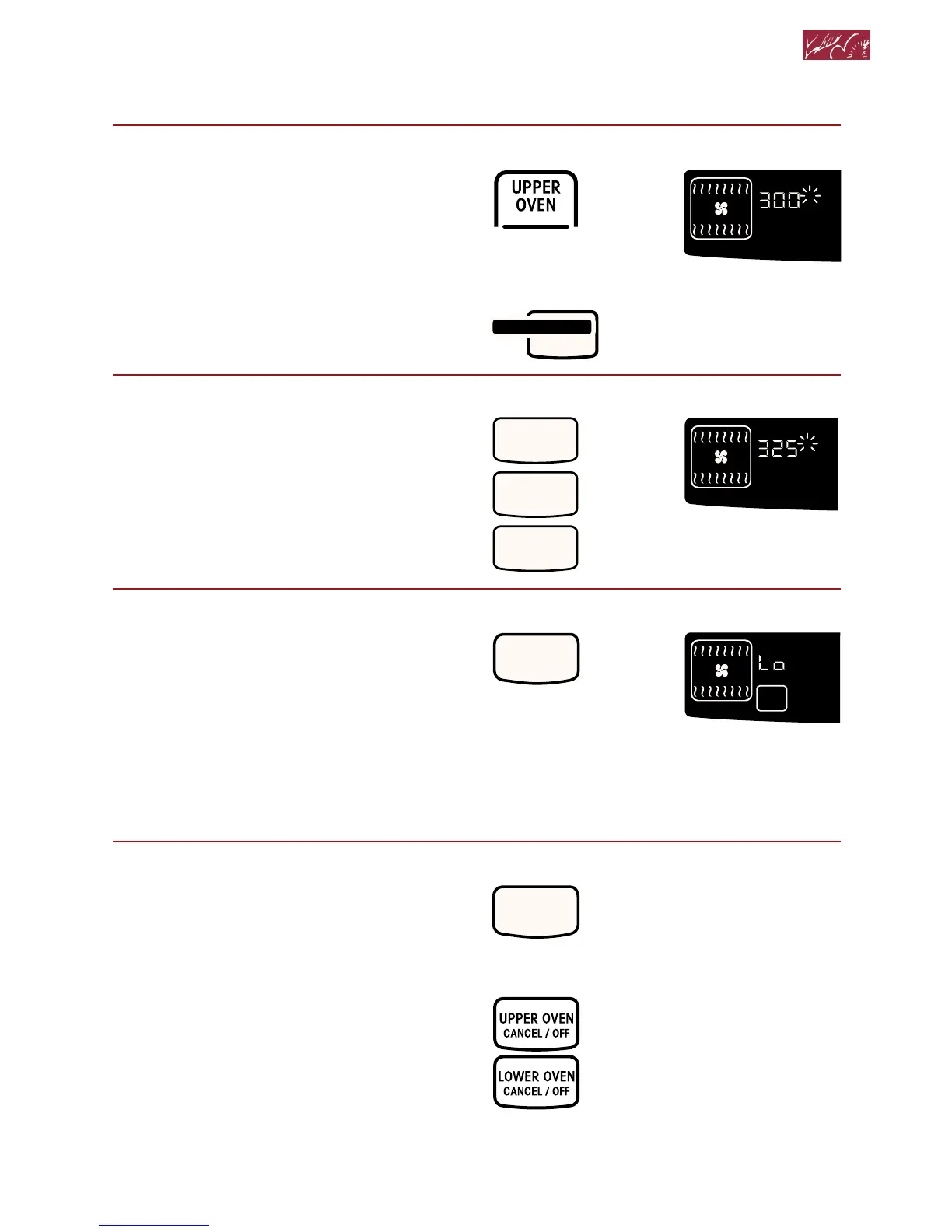
2. Choose setting.
NOTE: On double ovens, the cavity
symbol flashes to tell you which oven
you are setting.
3. Set temperature (optional).
Do this step if you want to set a
temperature other than 300°F.
NOTE: See your convection oven
cookbook for temperature
recommendations.
4. Start oven.
NOTES:
• After the temperature reaches
170°F, the temperature display will
show the actual oven temperature at
each 5°F (3°C) increase. It will then
stop at the set temperature.
• If you want to change the roasting
temperature after roasting has
begun, repeat Steps 2, 3, and 4.
5. After cooking, turn off oven.
PRESS YOU SEE



 To Next Page